Pegasus & Core Release Notes for March 2026

  • New Features

    • Enhanced the HoS Logbook UI so users can clearly see when they have exceeded maximum work hours according to NOM-087, helping ensure compliance and improve driver safety by providing clear visual alerts.
    • Implemented a feature to enable Syrus4G devices to perform a safe shutdown using ECU speed data, allowing the system to shut down even when GPS is jammed, thus increasing reliability and safety for fleet operations.
      https://syrus.digitalcomtech.com/docs/syrus-4g-safe-engine-cutoff-using-ecu-speed
    • Integrated the activation of outputs for WanWay device position commands via Tracking cards, thus making the system more flexible and compatible for all Wanway trackers.
    • Added a field to the HoS API called end_working that shows when a cycle is forcefully closed, ensuring that dependent applications can receive accurate data. *
    • Implemented an automatic filter for incoherent speed record entries, in order to ensure that reports and analyses are based on accurate and reliable data.
    • Added a filter for random zero values coming from the Technoton fuel sensor, in order to ensure only valid fuel level data is reported. hardware?
    • Improved SyrusJS ability to handle short bursts of multiple MDT messages, thus increasing the overall reliability of the device’s communication.
    • Integrated jamming event detection for Queclink devices, enabling the automatic identification and reporting of signal jamming incidents. This enhancement improves device monitoring and security.
    • Added the ability to allow users to send SMS messages to Syrus devices using phone numbers longer than 15 digits, improving flexibility and user experience.
    • Adjusted the HoS API to accurately reflect and track segments that are in the process of being force-closed. This adjustment eliminates discrepancies and data loss during forced closures.
    • Integrated Queclink GV57CG into the Pegasus platform, thus expanding hardware compatibility.
    • Integrated detection and reporting of jamming events for Queclink devices, in order for users to be promptly alerted to potential signal interference.
    • Expanded the digit limit for SMS destinations, enabling users to send messages to longer international numbers.
    • Implemented a feature that allows manager and admin users to send syrus-apps-manager commands containing special characters (like $) from the cloud, thus improving command flexibility and supporting advanced use cases for authorized users.
  • Fixes

    • Reduced delay in receiving passenger limit events from Surfsight.
    • Fixed a bug where devices were not periodically sending satcom events.
    • Fixed a bug where HoS API was not correctly separating driving cycles that are interrupted by a rest period of more than three days.
    • Fixed a bug where the events list would sometimes not load inside tracking.
    • Fixed a bug where users of the Syrus Mobile App could not add or view automation, hence not being able to manage triggers from their mobile devices.
       
    • Fixed a bug that prevented commands from being executed on a device if the IMEI in the command does not match the device’s IMEI.
    • Fixed a bug where videos with identical timestamps were not correctly processed and displayed in the event-media API and Pegasus.
    • Fixed a bug where the safety dashboard wasn’t accurately loading and displaying all of the media events from Surfsight cameras.
    • Fixed a bug where false alerts were being sent when vehicles would leave early or were removed from the trigger group.
    • Fixed a bug where activation and deactivation events for input 2 on Teltonika FMC130 devices were not correctly detected and labeled in Pegasus.
    • Fixed a bug where Event Count Report would not generate if the Media API returned an unauthorized response.
    • Fixed a bug where attempting to use the Video Pro Telematics app would break out of the container and redirect away from the main platform.
    • Fixed a bug where the validity status of an asset’s cycle was not being displayed consistently.
    • Fixed a bug where photos from “unauthorized passenger” events were not successfully delivered to Telegram.
    • Fixed a bug where emails would not promptly deliver after an alert is generated.
    • Fixed a bug where non-admin users could not filter and view alerts from previous days.
    • Fixed a bug where error data and MIL (Malfunction Indicator Lamp, or check engine light) status were missing from the J1939 report.
    • Fixed a bug where trigger alerts were mistakenly sent when a vehicle briefly passed through the corner of a geofence.
    • Fixed a bug where the Media API returned an unauthorized response, causing the report process to fail instead of continuing normally.
    • Fixed a bug where real ECU protocol sent by third-party devices were not accurately displayed in Tracking.
    • Fixed a bug where scheduled reports and alert notifications were not successfully delivered to non-company domain emails.
    • Fixed a bug where assets that had previously been assigned to and then unassigned from a vehicle could not be reassigned to that same vehicle.
  • Console Issues

    • Fixed a bug where the Pegasus console was not responding to commands from third-party device.
    • Fixed a bug where Teltonika devices were not receiving commands.
    • Fixed a bug where the Pegasus console would return an error wrongfully saying that a command had not been sent.

Click here for prior release notes

Click here to search old release notes
Pegasus & Core Release Notes for January/February 2026

  • New Features

    • Added engine error codes (DTC) for additional third-party devices, including support for multiple codes at once.
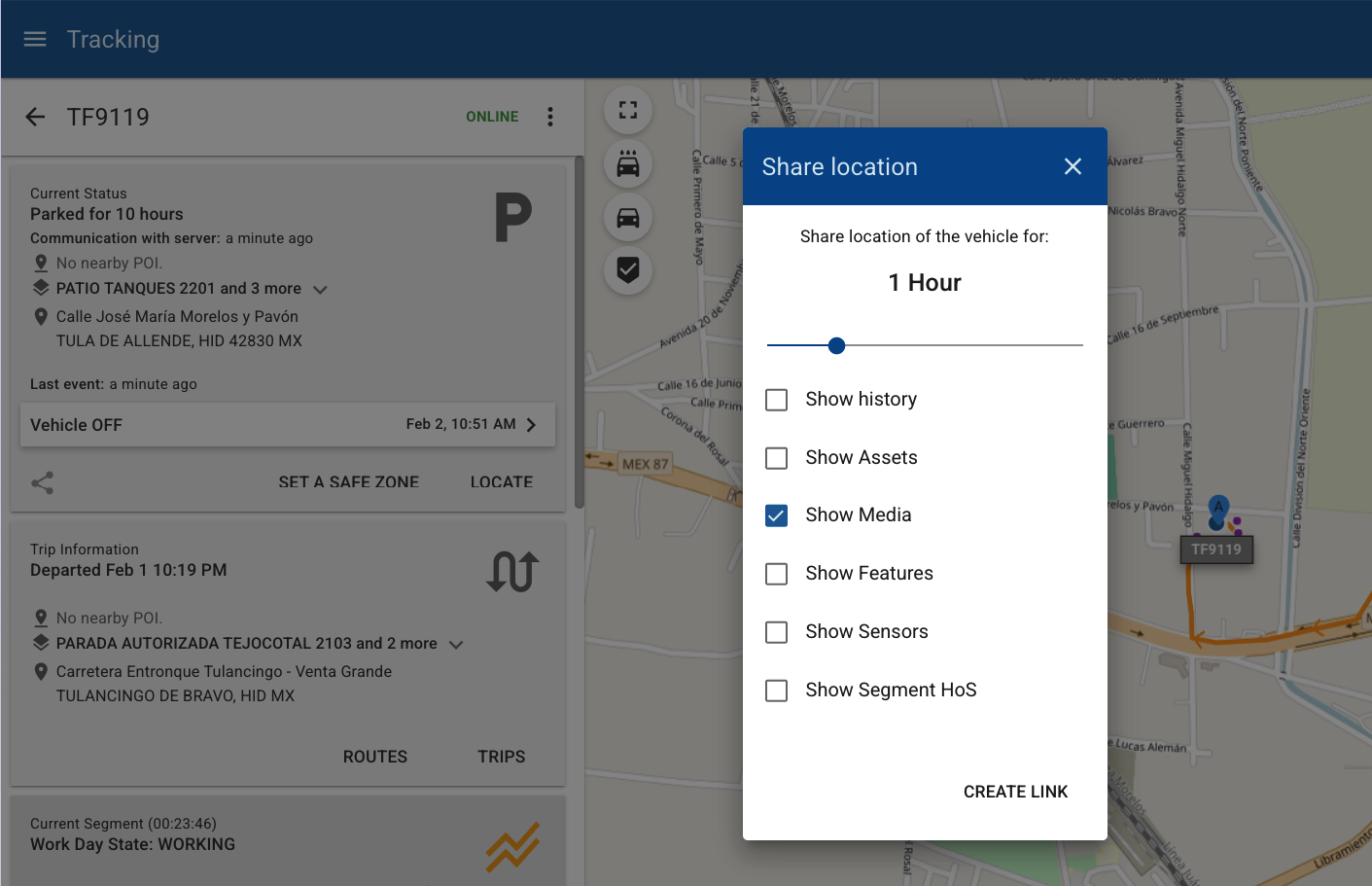
    • New filters for showing and hiding sections in shared-links allow you to select what vehicle tracking card to show.
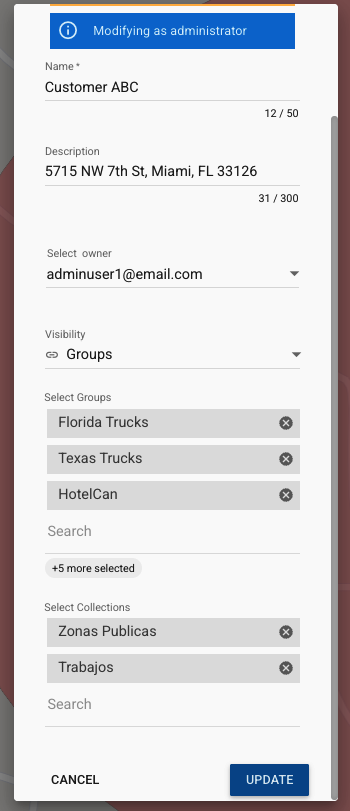
    • Improved the geofence editor dialog, it now shows the group(s) and collection names assigned.
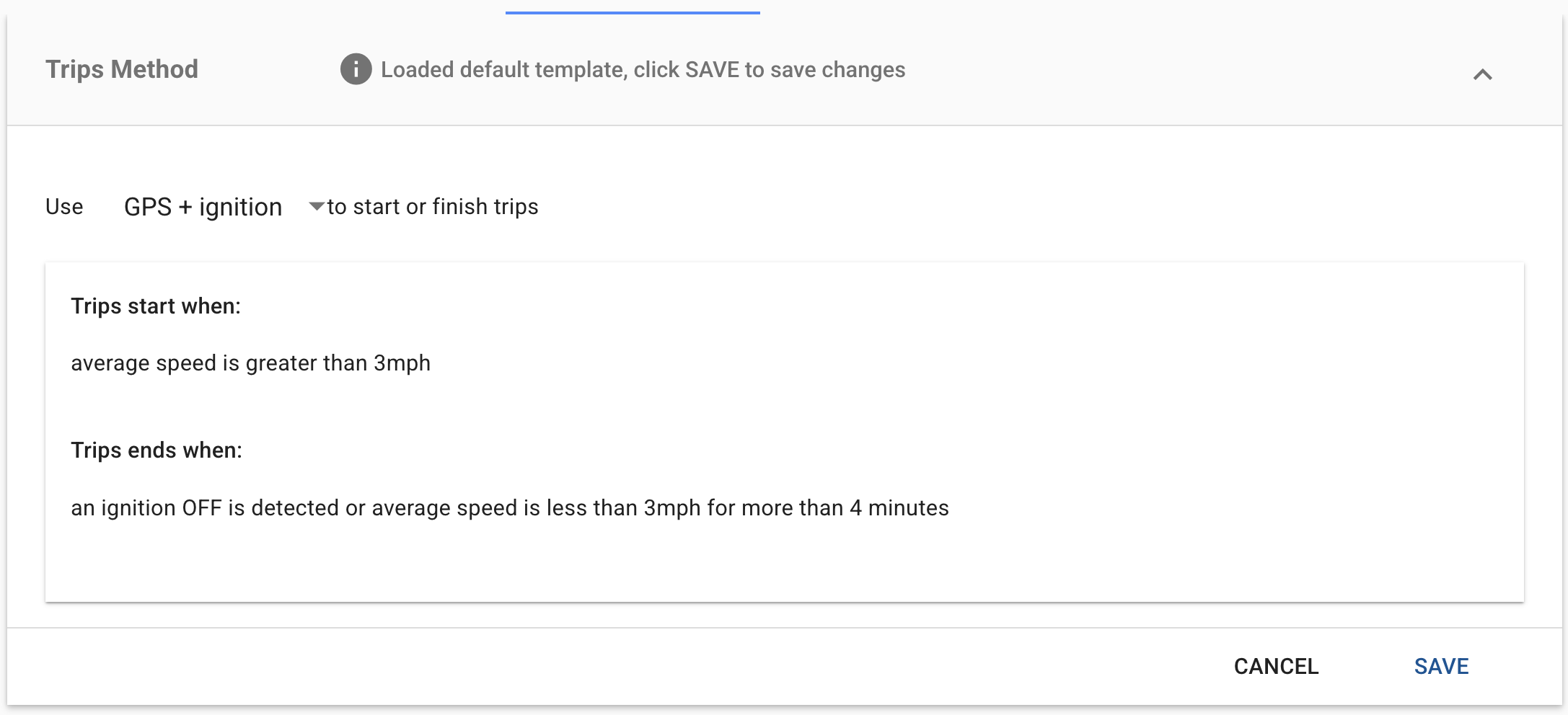
    • Added a new Trips method that combines GPS and ignition data to better handle devices that drift while stationary.
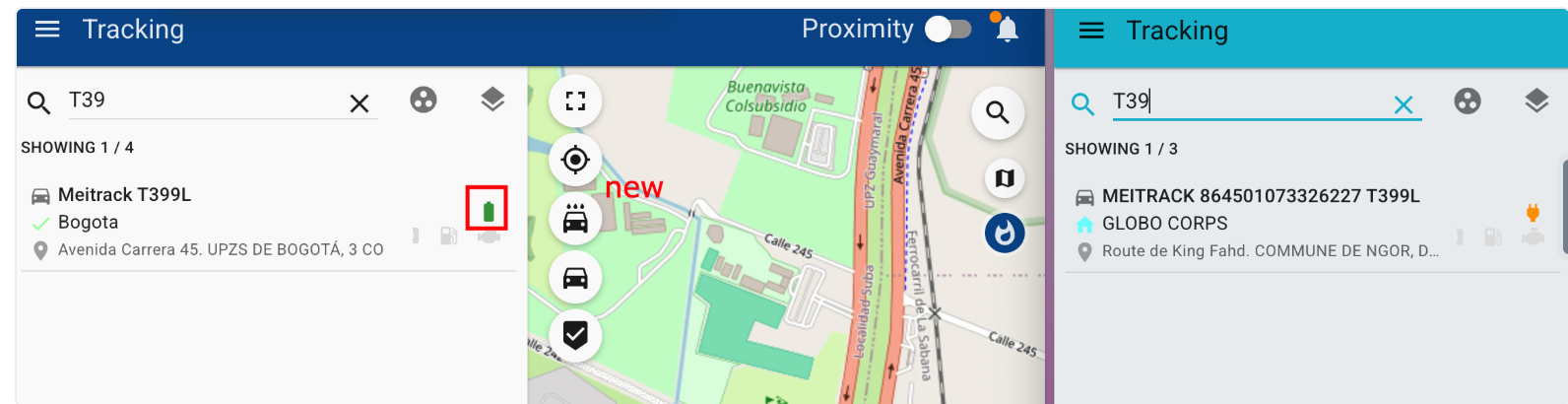
    • Syrus 4G analog input indicators have been added to tracking to improve operational visibility by not having to rely on RawData.
    • Assets type: driver, now automatically switch when assigned to a different vehicle (either manually or via peripheral) to ensure consistent driver data and prevent duplicate calculations.
    • New graphics have been added for drivers in the report of posted speed limits to improve accountability and enabling more targeted safety actions.
    • Included a clarification tool-tip in the Trips module letting the user know that results may include trips that started before the selected date range to help set expectations when comparing Trips UI values with exported Trips reports.
    • Aligned console API responses with UI for unsuccessful messages to receive consistent and accurate feedback.
    • Added support for Teltonika Ground Sense events to visualize Ground Sense activations for time-based reporting and alerts.
    • Added French translation for emails to ensure a consistent, fully localized experience for our French clientele.
  • Fixes

    • Fixed a bug where the SOS Panic wasn’t being reflected in Coban 4G devices’ raw-data.
    • Fixed a bug where the Escort-compatible fuel sensor values were mapped to invalid fields.
    • Fixed a bug where Syrus 4 IO expander outputs were wrongfully enabled.
    • Fixed a bug where the Teltonika FMC920 output and power commands were not correctly presenting in Pegasus.
    • Fixed a bug where the Easy DriverScore report would merge two entities with the same name.
    • Fixed a bug where the posted speed reports would format using the wrong time zone.
  • Console Issues

    • Fixed a bug where the Pegasus console was not responding to commands from third-party device.
    • Fixed a bug where Teltonika devices were not receiving commands.
    • Fixed a bug where the Pegasus console would return an error wrongfully saying that a command had not been sent.

Click here for prior release notes

Click here to search old release notes
Pegasus & Core Release Notes for December 2025

  • New Features 

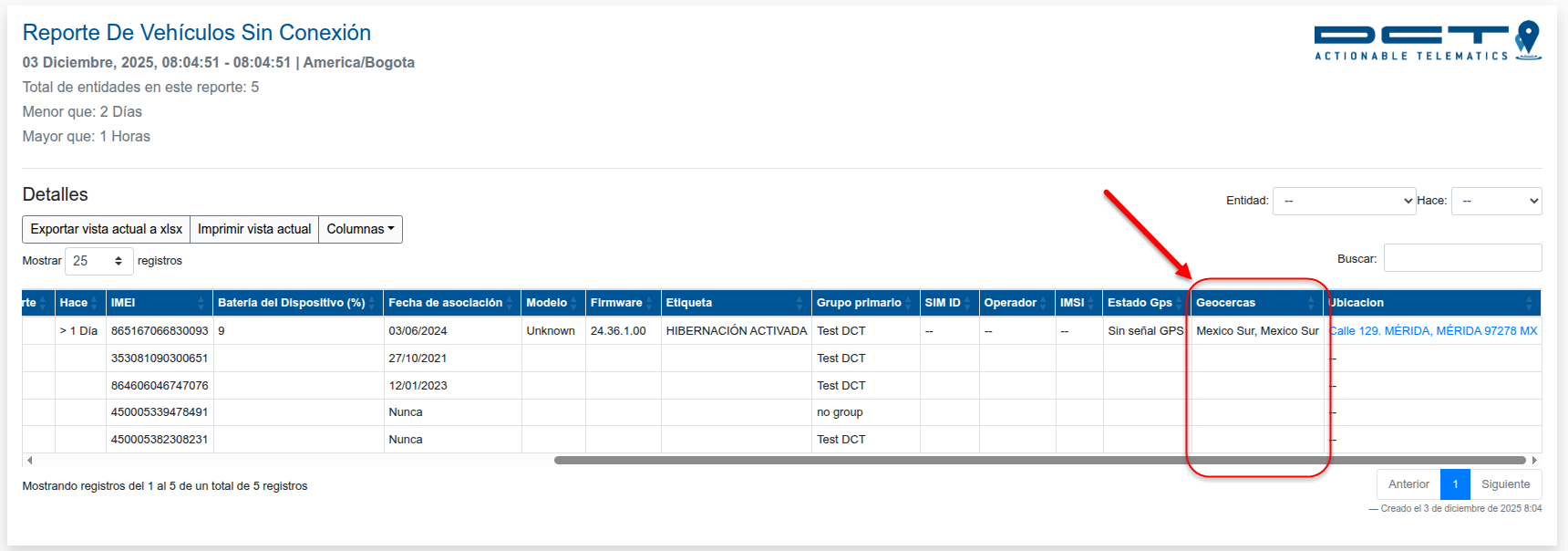
    • Added a geofences column to the Offline Report, allowing users to view all geofences where a vehicle was located.
    • Enhanced the Speeding Report with driver speeding charts, making it easier to review and analyze speeding incidents.
  • Fixes

    • The HoS card in Tracking will be hidden when the segment configuration has min_rest_time set to 0.
    • Improved Tracking UI responsiveness for the HoS card.
    • Fixed an issue in the Temperature History Report where Temperature Sensor 9 was missing for vehicles with 10 sensors.
    • Resolved an issue in Syrus Cloud that prevented saving changes to new ECU V2 profiles.
    • Corrected the Daily Counters Report to accurately display distance data received from the ECU.
    • Fixed an issue where a new vehicle in the Accessories section displayed information from a previously associated vehicle.

Click here for prior release notes

Click here to search old release notes
Pegasus & Core Release Notes for November 2025

  • New Features 

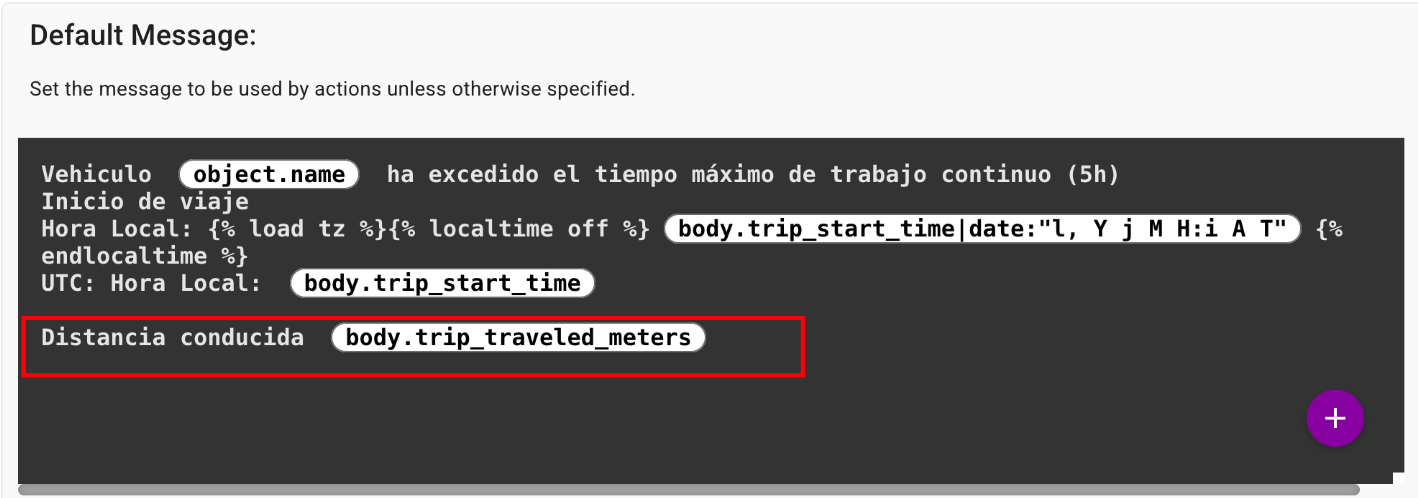
    • Enabled the Trip’s Distance in Custom Trigger Template
      This allows users to view in the alert how far the vehicle had traveled.
    • BTG600L Model Integration
      The BTG600L device model has been integrated into the Pegasus platform.
    • WanWay Integration
      Added support for Output 1 control and position request handling for WanWay devices, expanding device management capabilities.
    • Teltonika Analog Sensors Integration
      Integrated analog fuel sensors for Teltonika FMC130 devices, enabling more precise fuel level monitoring.
    • Queclink Network Type Integration
      Added support for displaying and processing the “Network Type” parameter for Queclink devices.
    • Suntech ST4315B BLE Sensor Integration
      Implemented BLE sensor mapping to improve compatibility and data accuracy for the Suntech ST4315B device.
    • Start Trip Time and Trip Distance as selectable common fields within the trigger template configuration
      We have expanded the capabilities of Automation by adding Start Trip and Trip Distance as selectable common fields within the trigger template configuration.
  • Bugs Fixed

    • Missing IMEI Validation in Forms
      Resolved an issue where installation forms were submitted without an IMEI.
    • Dynamic Collections Geofences Filter
      Corrected a problem where dynamic geofence collections did not allow filtering by user or group.
    • Sensor Display in Temperature Live
      Adjusted the report to show only sensors that have reported recently, improving clarity and reducing noise from inactive sensors.
    • Engine Usage Report
      Fixed inconsistencies in report results when generating by vehicle only versus group filters.
    • Snapshot Report Odometer Conversion and Date Range Data Handling
      Corrected odometer unit conversion and delta calculation issues
    • Trip Analysis Between Fences Report Optimization and Date/Time Format Standardization
      Fixed a memory leak and optimized performance for better stability. Updated the report to use a standardized date and time format for consistency across reports.
    • Segment Configuration
      Fixed an issue that caused errors when creating a new segment configuration.
    • Activity Details Report – Driver Summary Inconsistencies
      Fixed inconsistencies in the driver summary section to ensure accurate and reliable activity reporting.
    • Fuel Consumption Report – Missing Refills and Losses
      Resolved calculation and display issues that prevented fuel refills and losses from appearing correctly.
    • Speeding Report – Updated Speed Conditions
      Refined the speeding conditions to provide consistent and accurate evaluation of speed thresholds.
    • Temperature History Report – Missing Temperature Records
      Fixed an issue where some temperature readings were not being displayed.
    • Entity Summary Report – Missing Vehicle Properties
      Restored missing fields such as VIN, license plate, color, and brand.
    • Snapshot Report – Improved Hourmeter Logic
      Added a hierarchical logic based on counter prioritization to deliver more accurate Hourmeter data.
    • Engine Dashboard Report – Corrected Date Format for Spanish Language
      Previously, the exported report showed invalid date values. The date formatting has now been corrected to ensure proper display and compatibility across spreadsheet tools.

Click here for prior release notes

Click here to search old release notes
Pegasus & Core Release Notes for October 2025

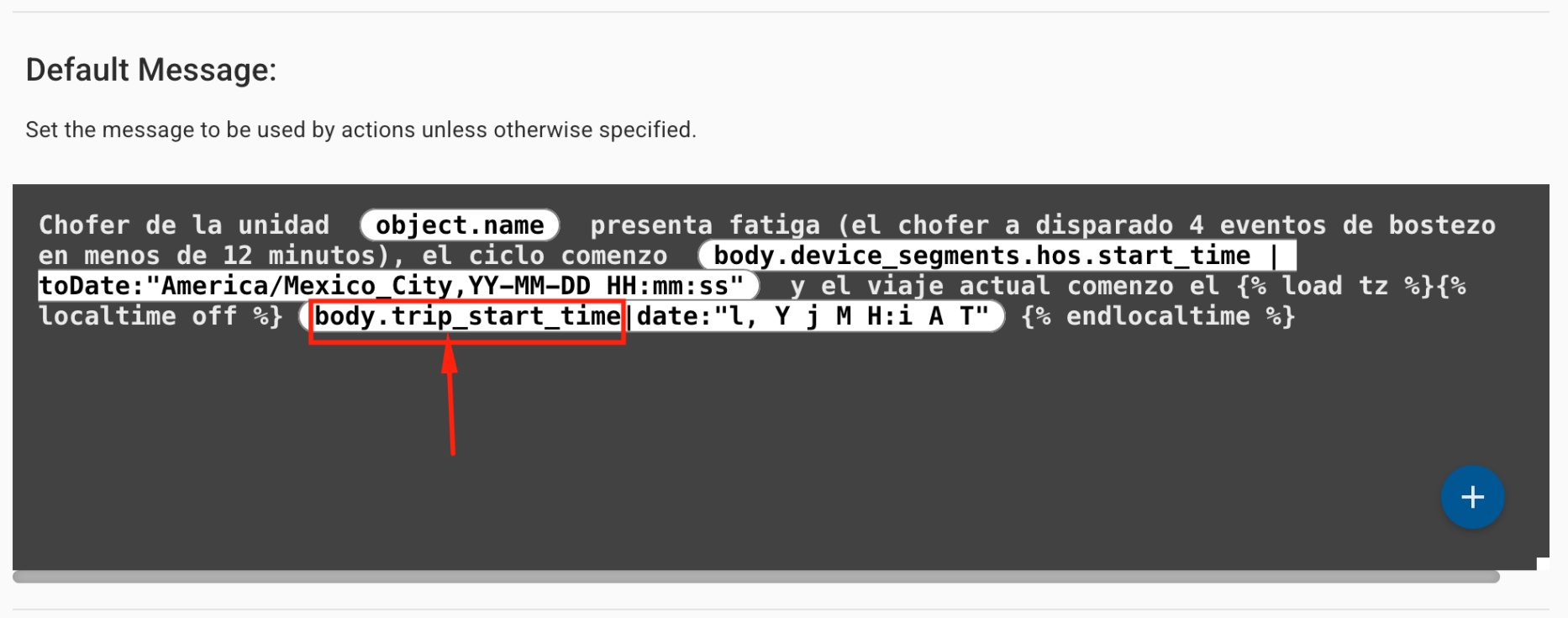
  • Enabled the Trip Start Time in Trigger Custom Template
    • The alert can show how long a driver has been driving when an alert is triggered. This enhancement is especially valuable for safety alerts like fatigue, enabling better context for decision-making and incident response.

  • GV310LAU: I/O Expander Integration
    • Support for I/O expander indicators/events and expanded output management has been added for the GV310LAU device, allowing for more flexible hardware integration and output control.
  • GV310LAU: I/O Expander Integration
    • We’ve expanded support for the WanWay lineup with the following enhancements. These integrations enhance visibility and compatibility for customers using WanWay devices.
      • WanWay Models Integration
      • WanWay Labels Integration
      •  WanWay Tracking Indicators Integration
  • Harsh Driving Events for Queclink
    • Harsh driving detection (e.g., harsh braking, acceleration, and cornering) is now integrated for Queclink devices, improving driver behavior monitoring and safety analytics.
  • Teltonika CAN Integration Enhancements
    • The CAN data integration for Teltonika devices now include the following. These additions provide more detailed vehicle diagnostics and performance insights for fleet managers.
      • Fuel Type Detection
      • Timing Advance Data
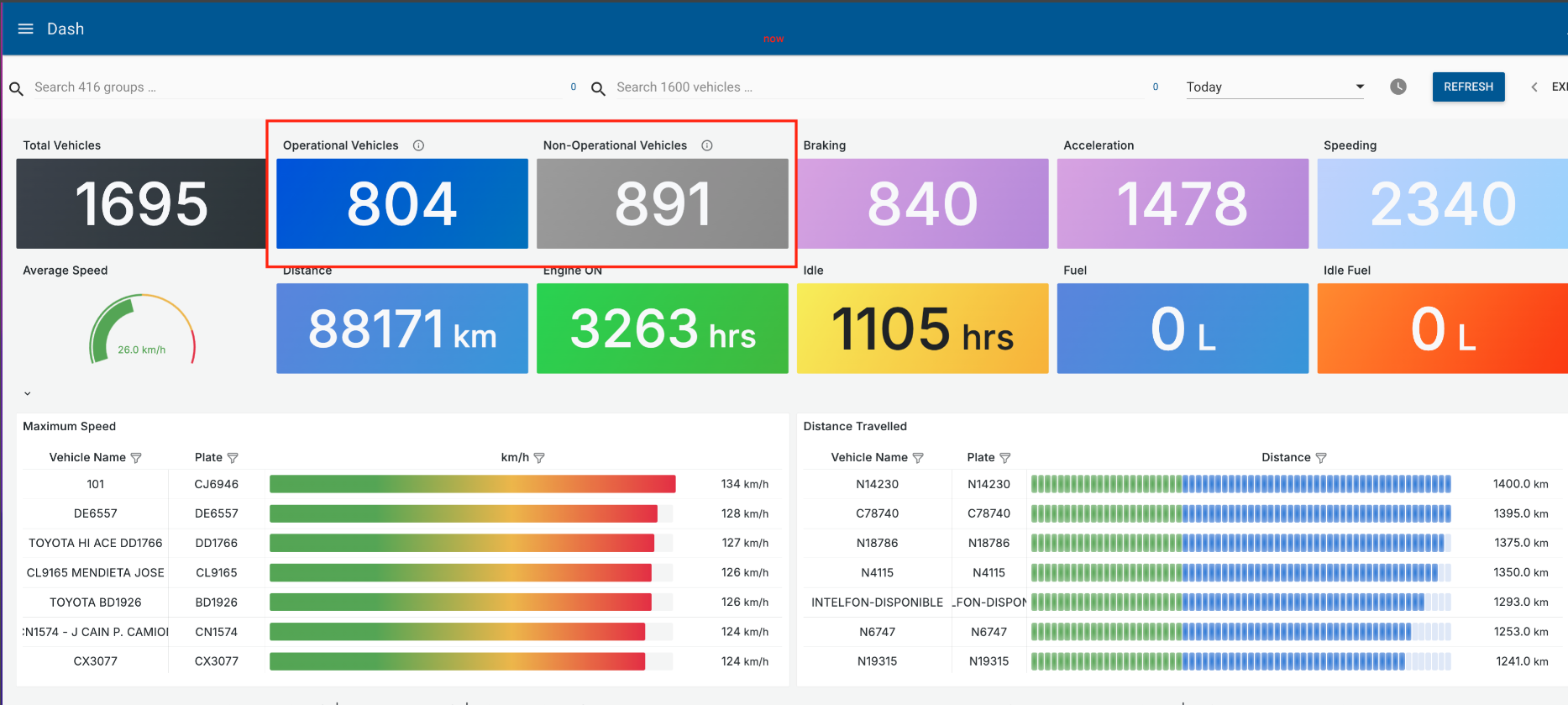
  • Dashboard Improvement: Group Header Replaced
    • Dashboards that previously displayed the group header have been updated to now show a more actionable metric: the total number of operational vs non-operational vehicles. This change provides users with a quick overview of fleet status without needing to navigate through additional filters or sections.

Click here for prior release notes

Click here to search old release notes
Pegasus & Core Release Notes for September 2025

New Features ⭐️

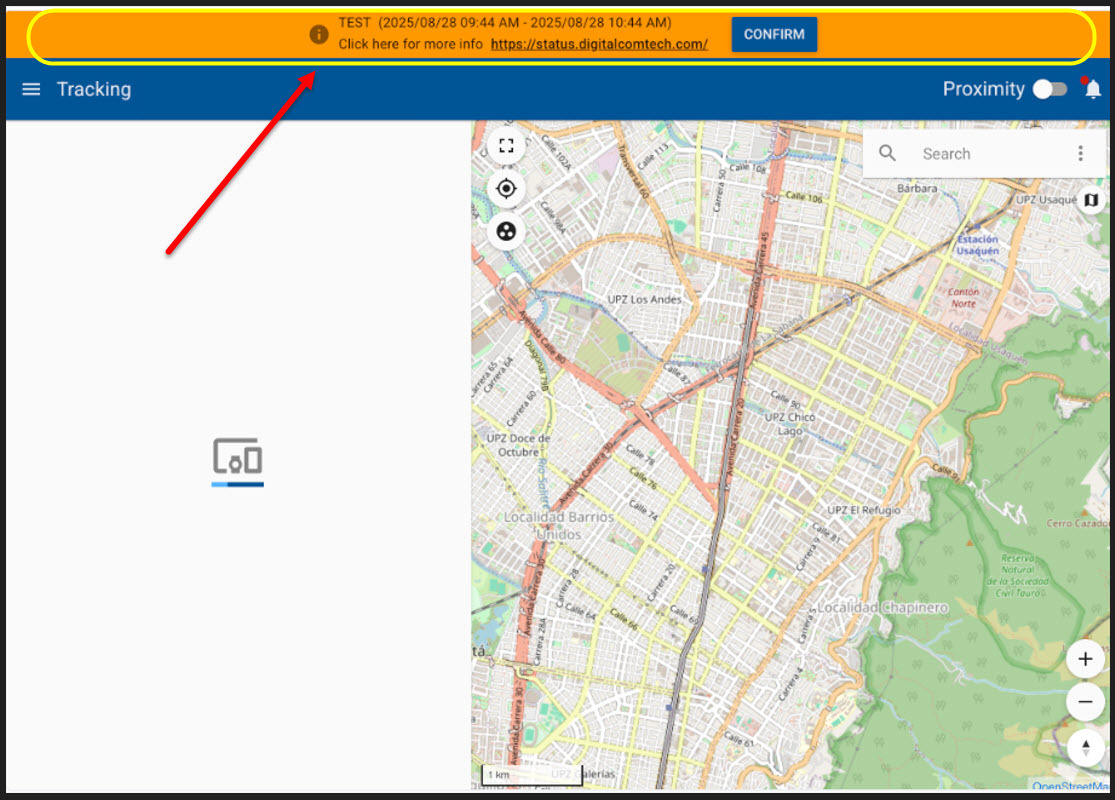
  • Maintenance Notification Banner in Pegasus
    • A new notification banner will be displayed to administrators 72 hours before scheduled maintenance. Key behaviors:
      • Banner includes a confirmation button to acknowledge the message
      • Banner will automatically disappear after confirmation
      • During active maintenance, the banner will remain visible and disappear once maintenance is complete
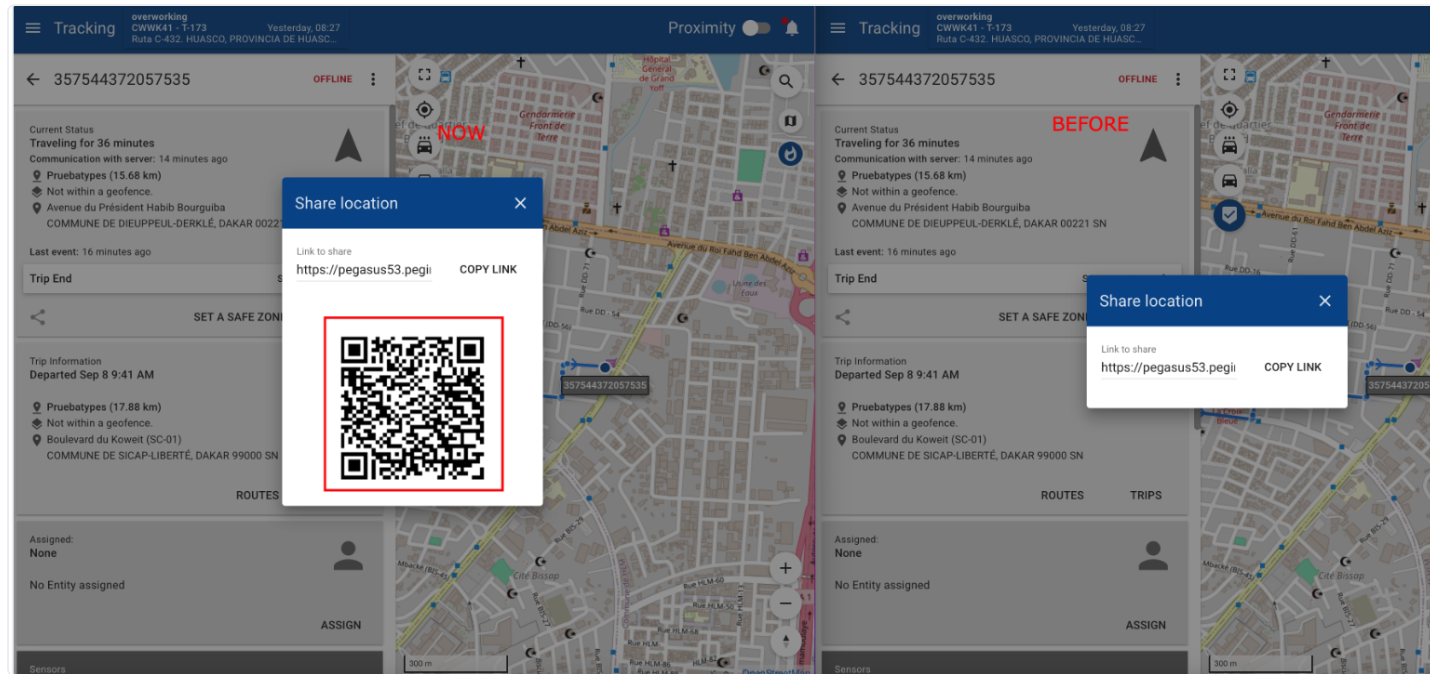
  • QR Code for Location Sharing in Tracking: We’ve added a new feature to the tracking module that allows users to generate and share a QR code containing the entity’s location. This makes it easier and faster to share location information with others using a simple scan.

Bug Fixes

  • Temperature Live Report: Resolved a problem where some devices were not displaying temperature readings.
  • Alert Grouping in the Alerts & Notices side bar: Fixed grouping the alerts in the sidebar restoring the option that enable/disabled the alert category mode.
  • Engine Usage Report: Corrected inaccuracies in idling and ignition time reporting when applying hourly filters.
  • Fuel Consumption Report: Fixed incorrect fuel level readings when using ultrasonic sensors.

Click here for prior release notes

Click here to search old release notes
Pegasus & Core Release Notes for August 2025

New Features ⭐️

  • Vehicle & Asset Management:
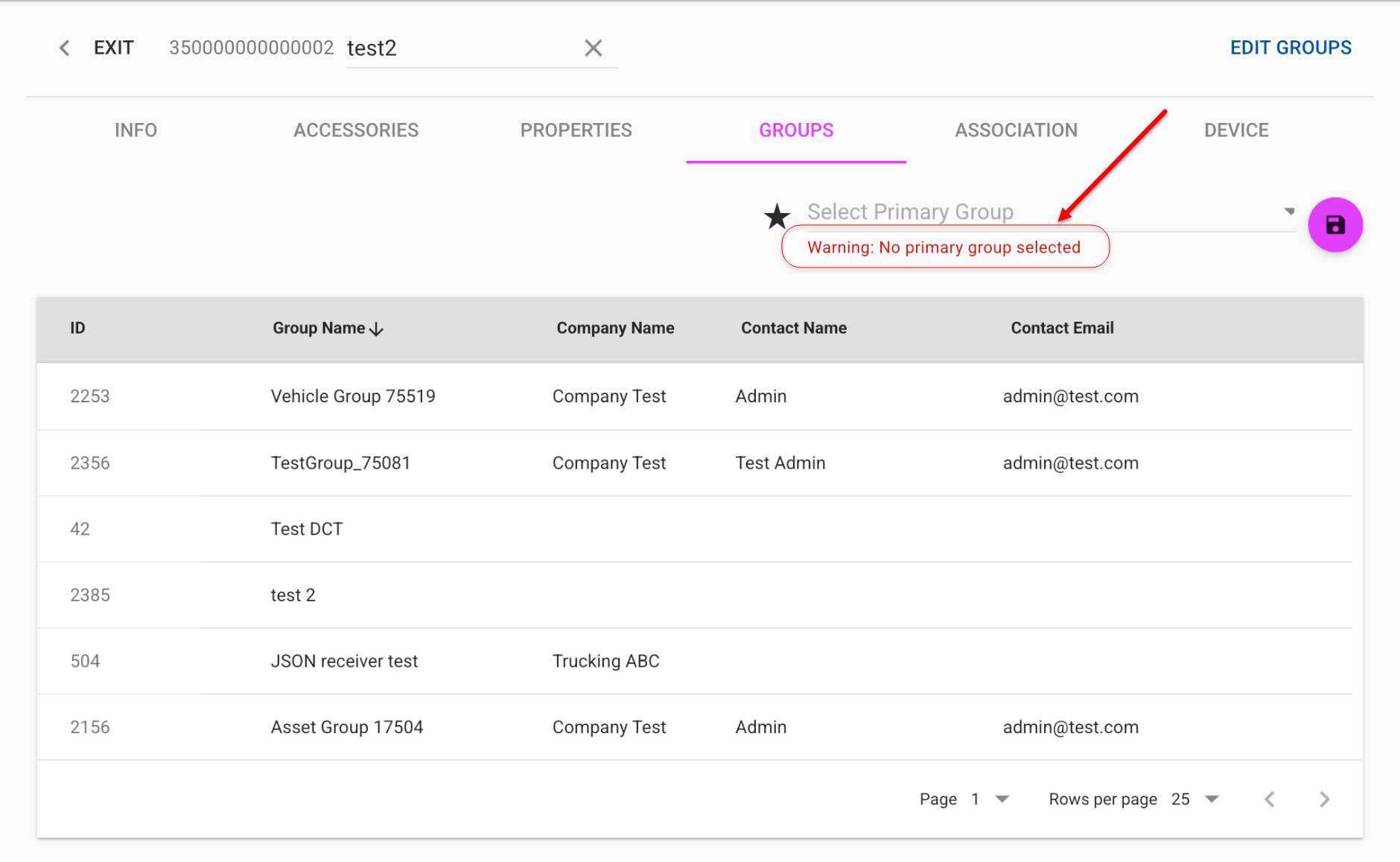
    Added a warning when a vehicle or asset does not have a primary group assigned. The primary group remains optional.
  • Fatigue Alarm panels in Driving Analysis Dashboard:
    Four new panels related to fatigue alarms have been added to the Driving Analysis panel. The new panels are:
    • Fatigue Alarm by Hour
    • Fatigue Alarm by Day of the Week
    • Fatigue Alarm by Hour on Weekdays
    • Fatigue Alarm by Hour on Weekends


Click here for prior release notes

Click here to search old release notes

Pegasus & Core Release Notes for July 2025

  • New Features ⭐️

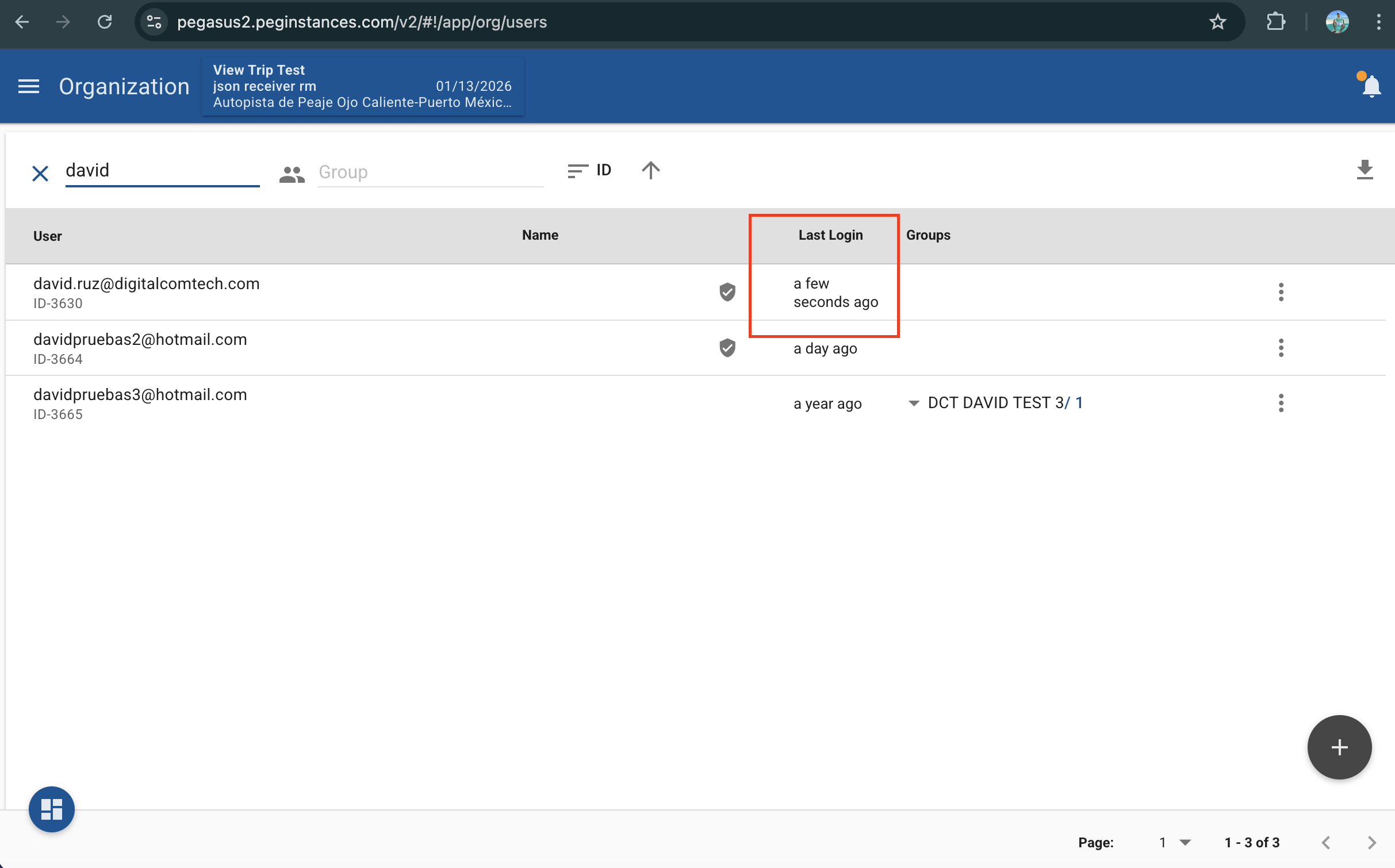
    • Logo Group Support in Pegasus Login: When accessing Pegasus via a logo group URL, the corresponding logo group is now displayed in the main menu upon login.
    • Primary Group Selection for Assets: Added an option to set a primary group for assets, enabling clearer organization and reporting.
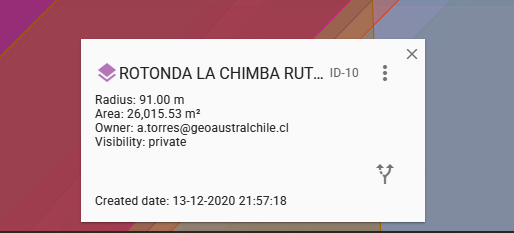
    • Geofence Creation Date Display: The geofence editor now shows the creation date for better tracking and auditing.
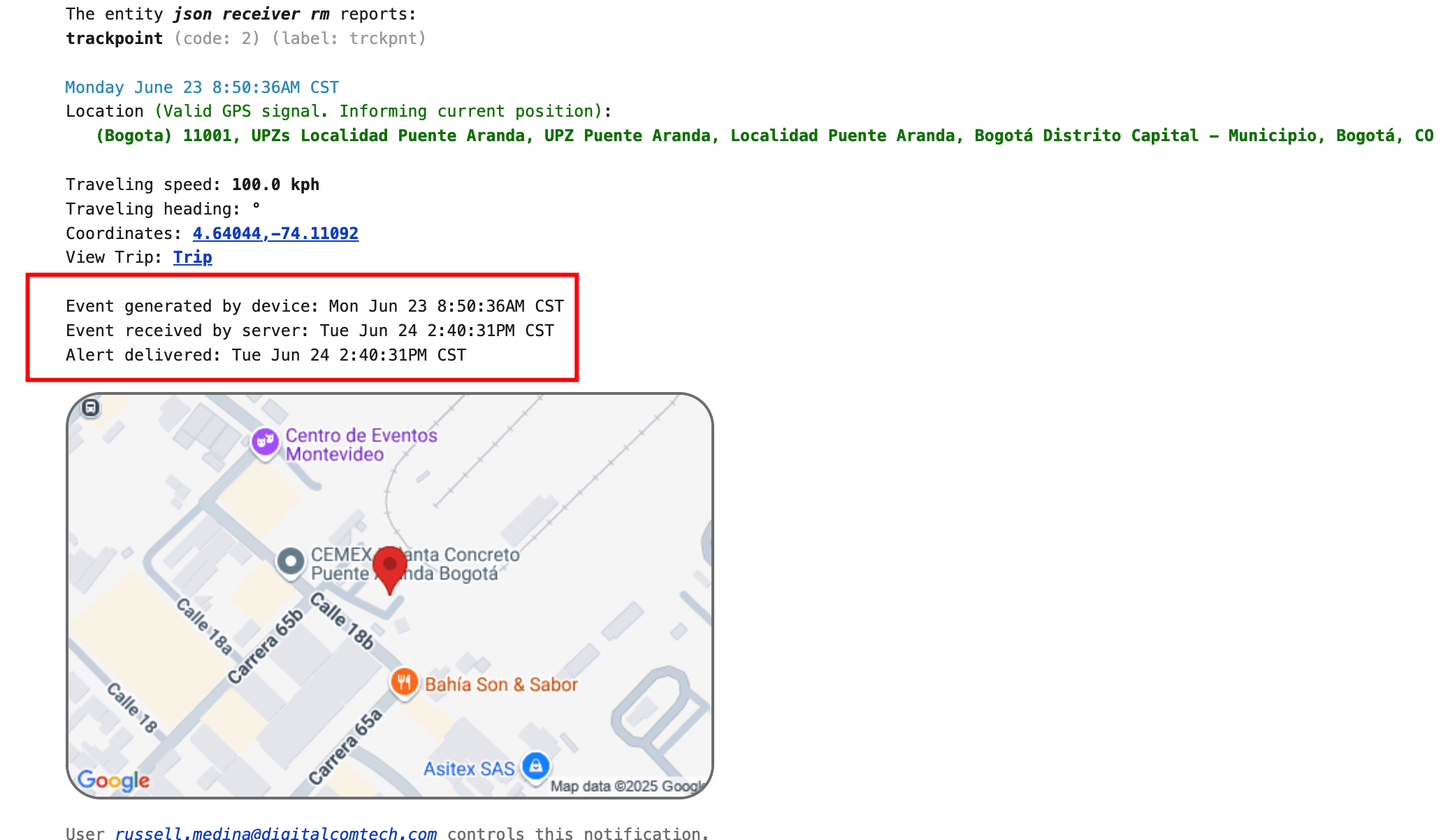
    • Alert Email Enhancements: Alert emails now include:
      • The event generated by the device
      • The event received by the server
      • The alert delivery confirmation

  • Bug Fixes

    • Geofence Coordinates Fix: Corrected an issue where latitude and longitude were inverted when updating a geofence.
    • Invalid Center ID Message: Resolved an error where updating a geofence would incorrectly display: “Not Valid Center ID”.
    • Posted Speed Limit Report Performance: Fixed performance issue where the report took too long to complete for 2 weeks and 150 vehicles.
    • Incident Report – Driver Summary Tab: Corrected a mismatch in data shown for vehicles without drivers, ensuring consistency between driver and vehicle summaries.
    • Risk Factors report: Resolved timeouts when generating the report to ensuring faster and more reliable performance.
    • Geofences: Fixed an issue preventing geofences from being relocated.
    • Trips: Corrected the way trips are visualized for Bluetooth Tags and Satcom devices.
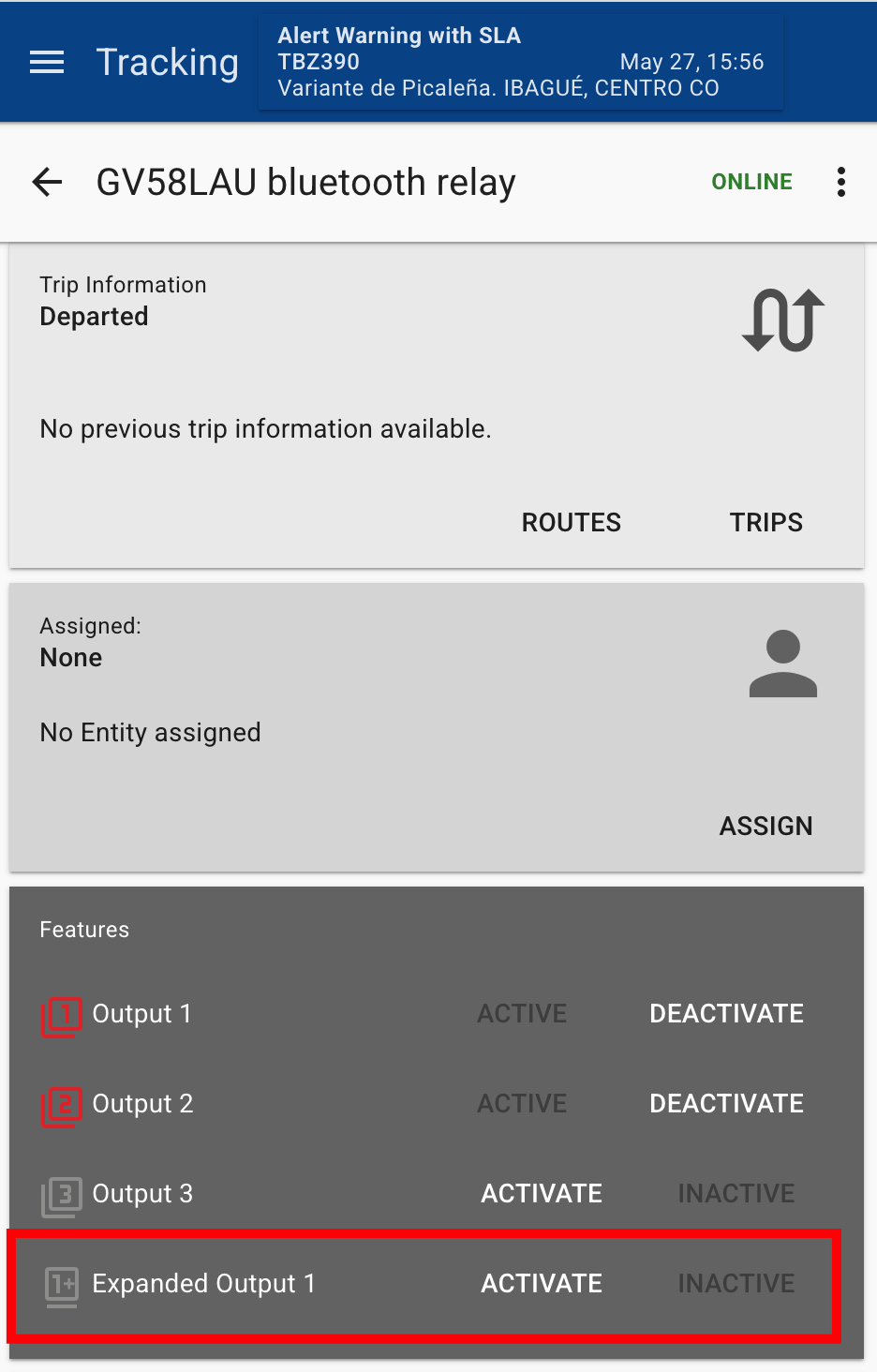
    • Third party integrations: Fixed an integration issue with the Bluetooth Relay via Expanded Output 1 on the Queclink GV58LAU device.
    • Email alert: Fixed a bug in email alerts where the trip link redirected to an incorrect trip view.

Click here for prior release notes

Click here to search old release notes
Pegasus & Core Release Notes for June 2025

  • New Features ⭐️

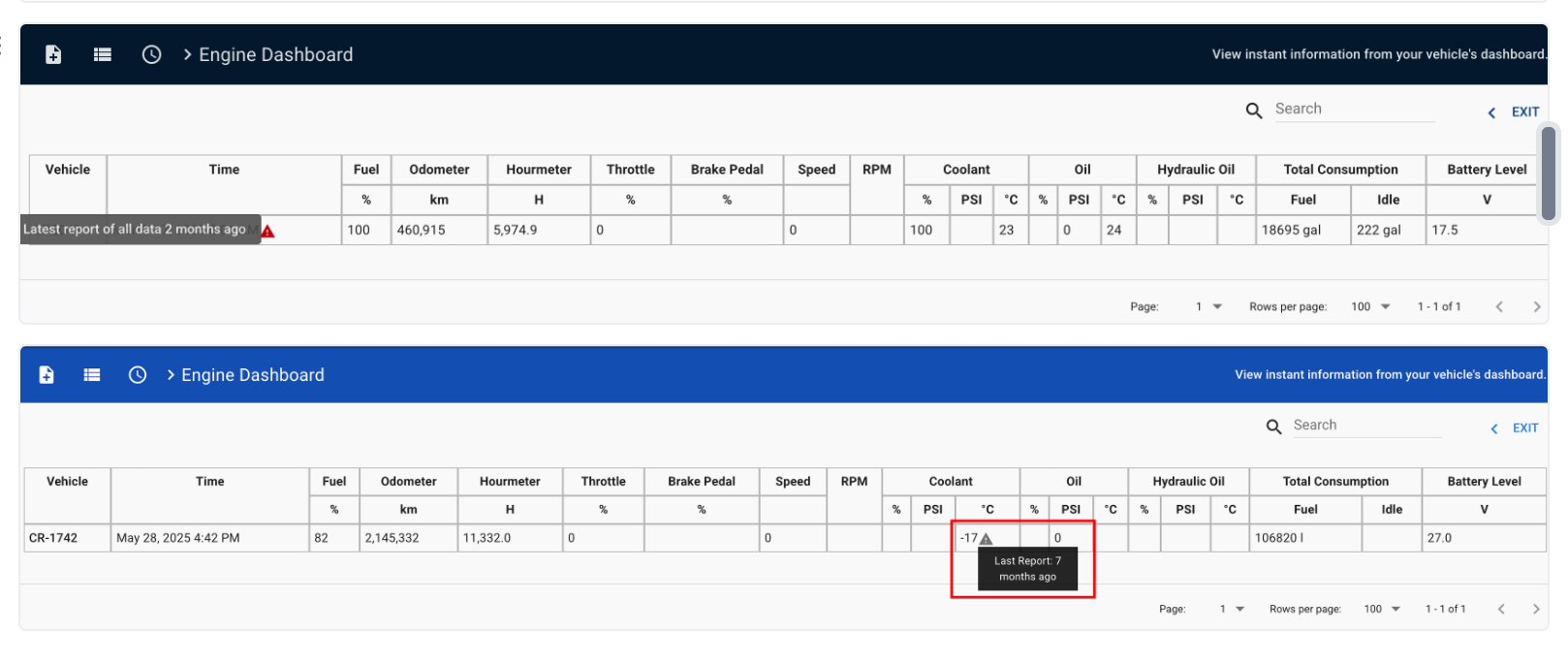
    • Engine Dash Report: Added warnings for fields that have not reported values for more than 24 hours, specifying the last reported timestamp.
    • Bluetooth Relay Integration: Integrated Bluetooth relay management via expanded output 1 for GV58LAU/CEU devices.
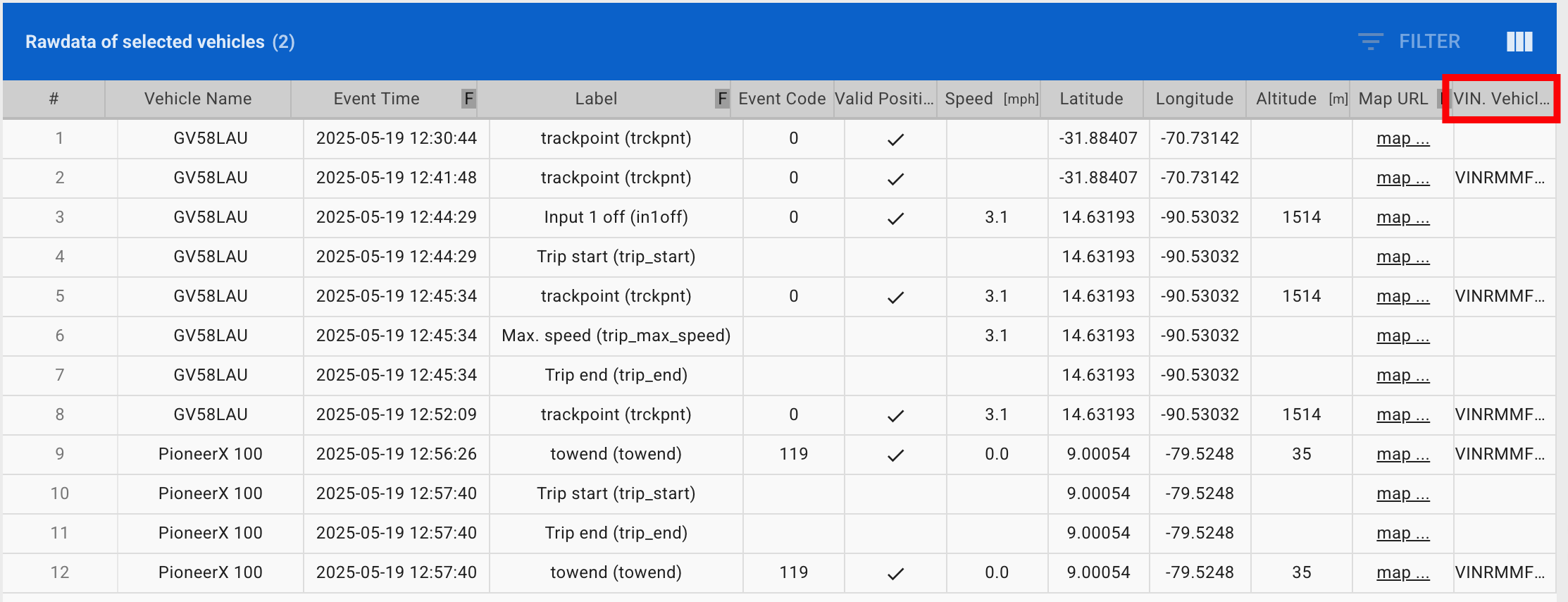
    • VIN Mapping: Added vehicle VIN mapping support for third-party devices.
    • Pioneer X 100: Enhanced event integration and output handling, including adjustments to position request handling.
    • Teltonika TAT140 Recovery Mode: Integrated the recovery mode.
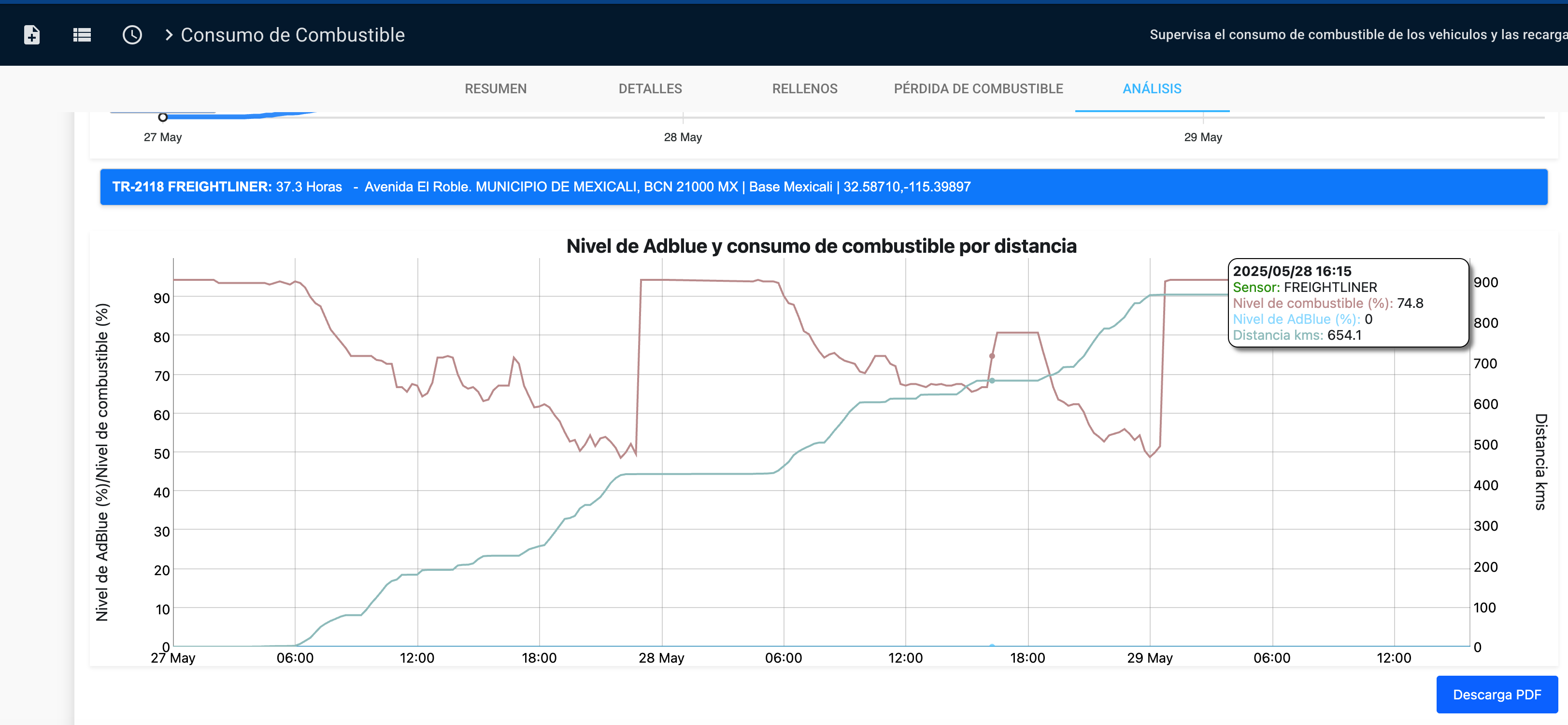
    • Fuel Consumption Report: Enhanced AdBlue chart tooltip to include the sensor name.
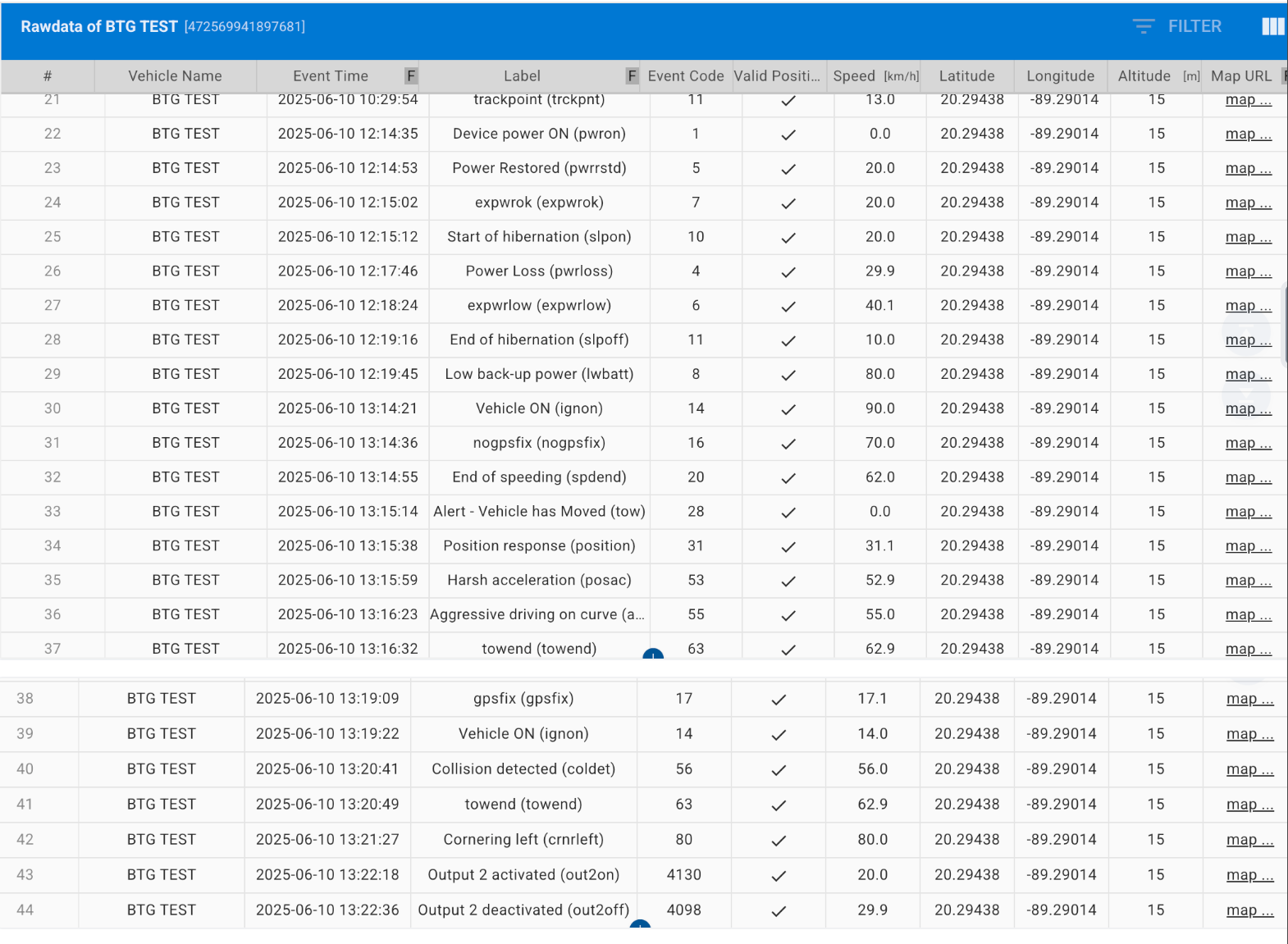
    • Integrated events table for BTG devices
  • Bug Fixes

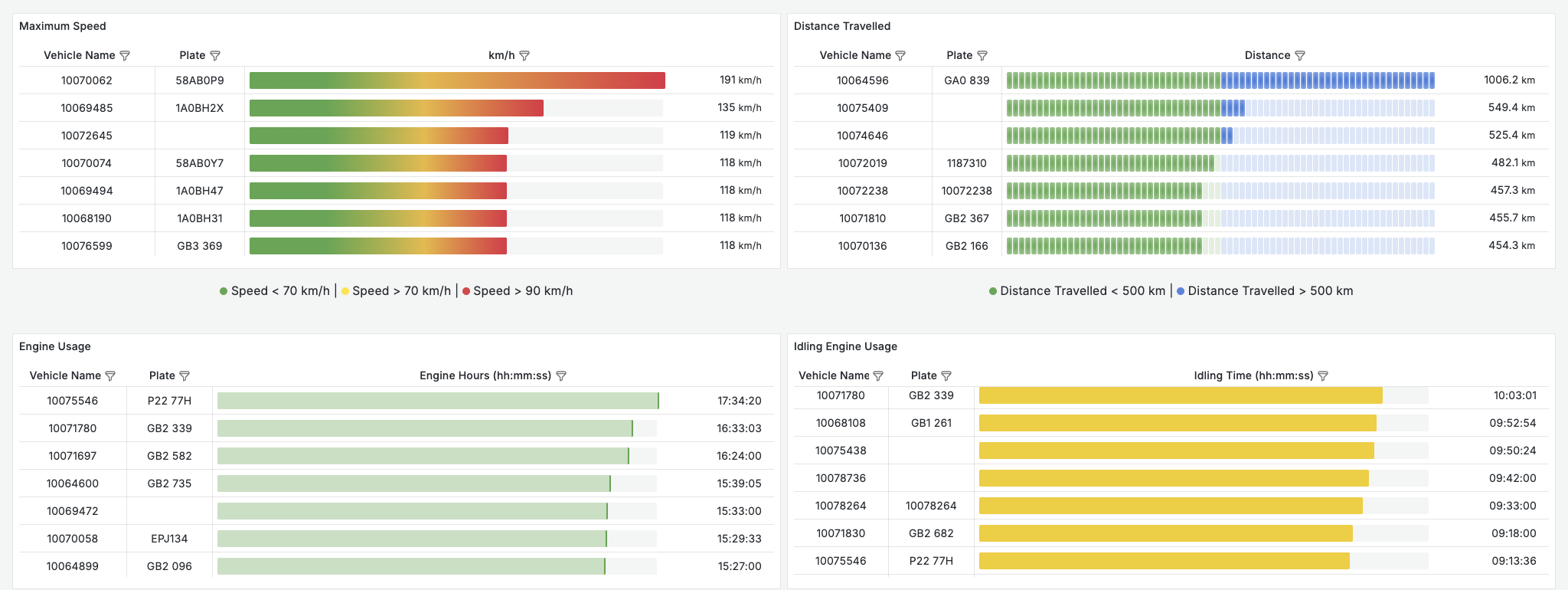
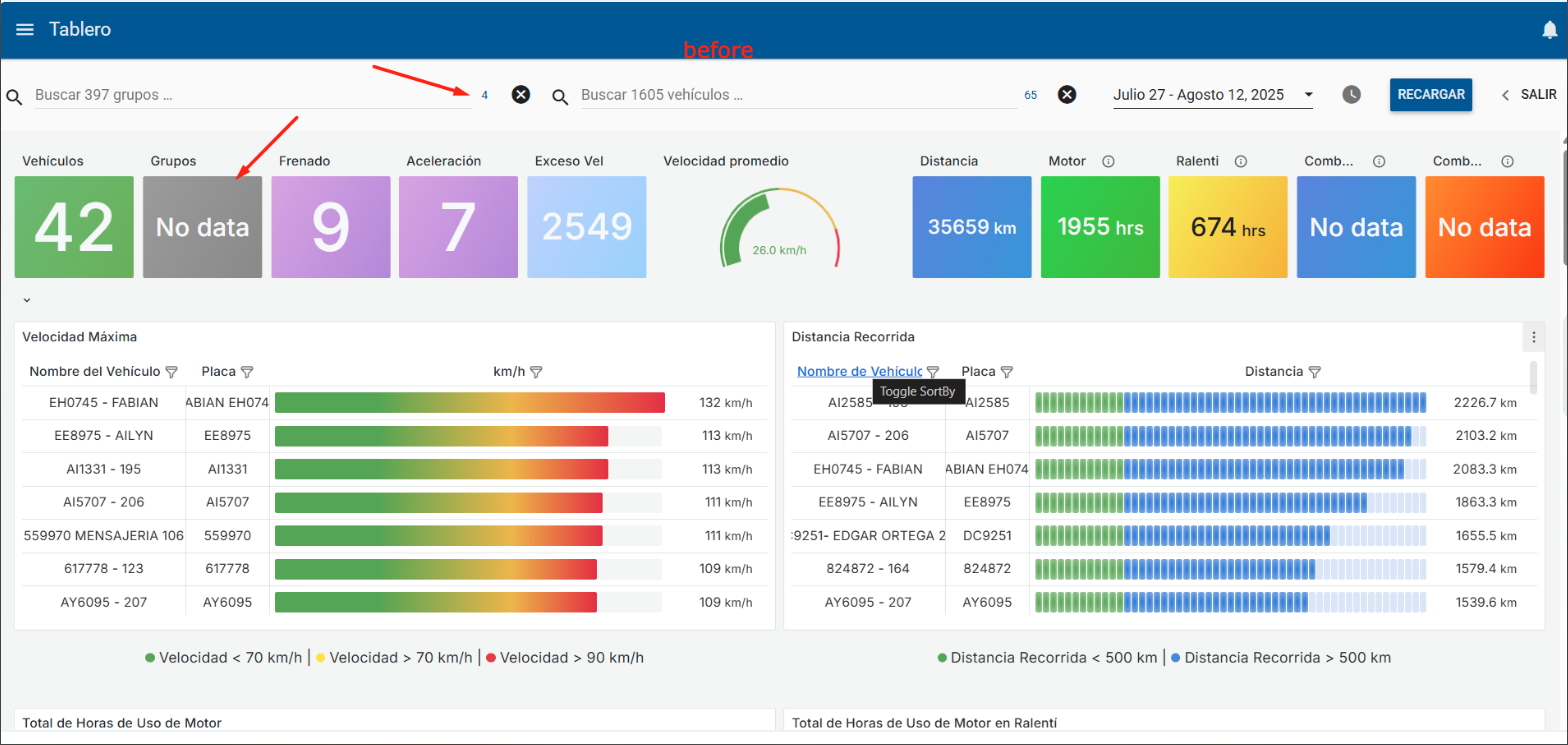
    • Dashboard Group Filters: Fixed group filtering issues in dashboards. Added logic to force groups with zero vehicles to show “No Data” instead of empty or misleading values.
    • Form Access: Resolved access issues caused by recent JotForm changes
    • GV58LAU/CEU Output Adjustment: Adjusted output 3 that was mapped as expanded output 1.
    • Photo Upload Permission: Fixed an issue where basic users with asset write scope were unable to upload photos
    • Tracking Sensor Data: Updated average temperature calculation to consider only analog sensors that reported in the latest event.
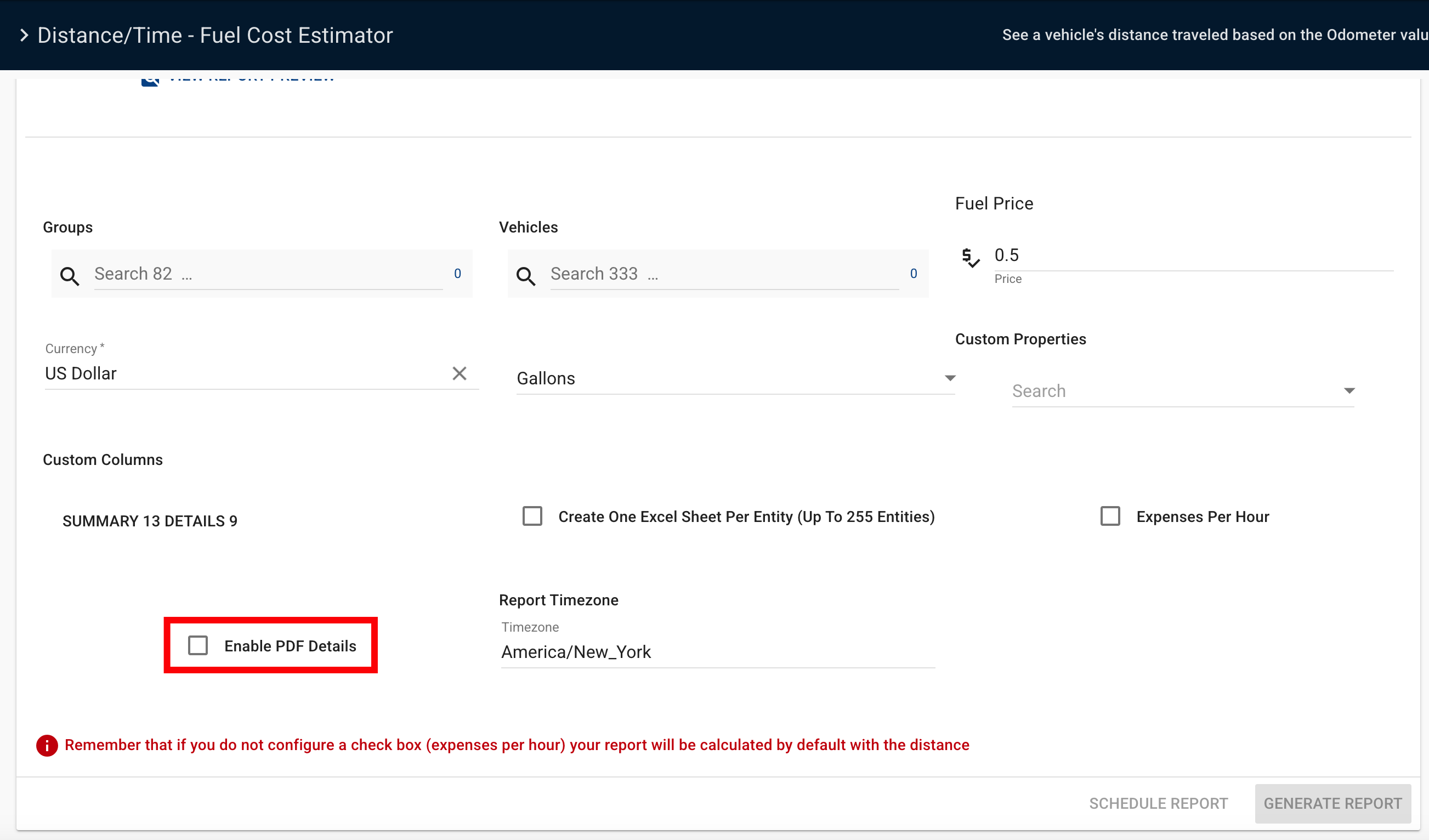
    • Distance/Time Fuel Cost Estimator: Fixed display of NaN values
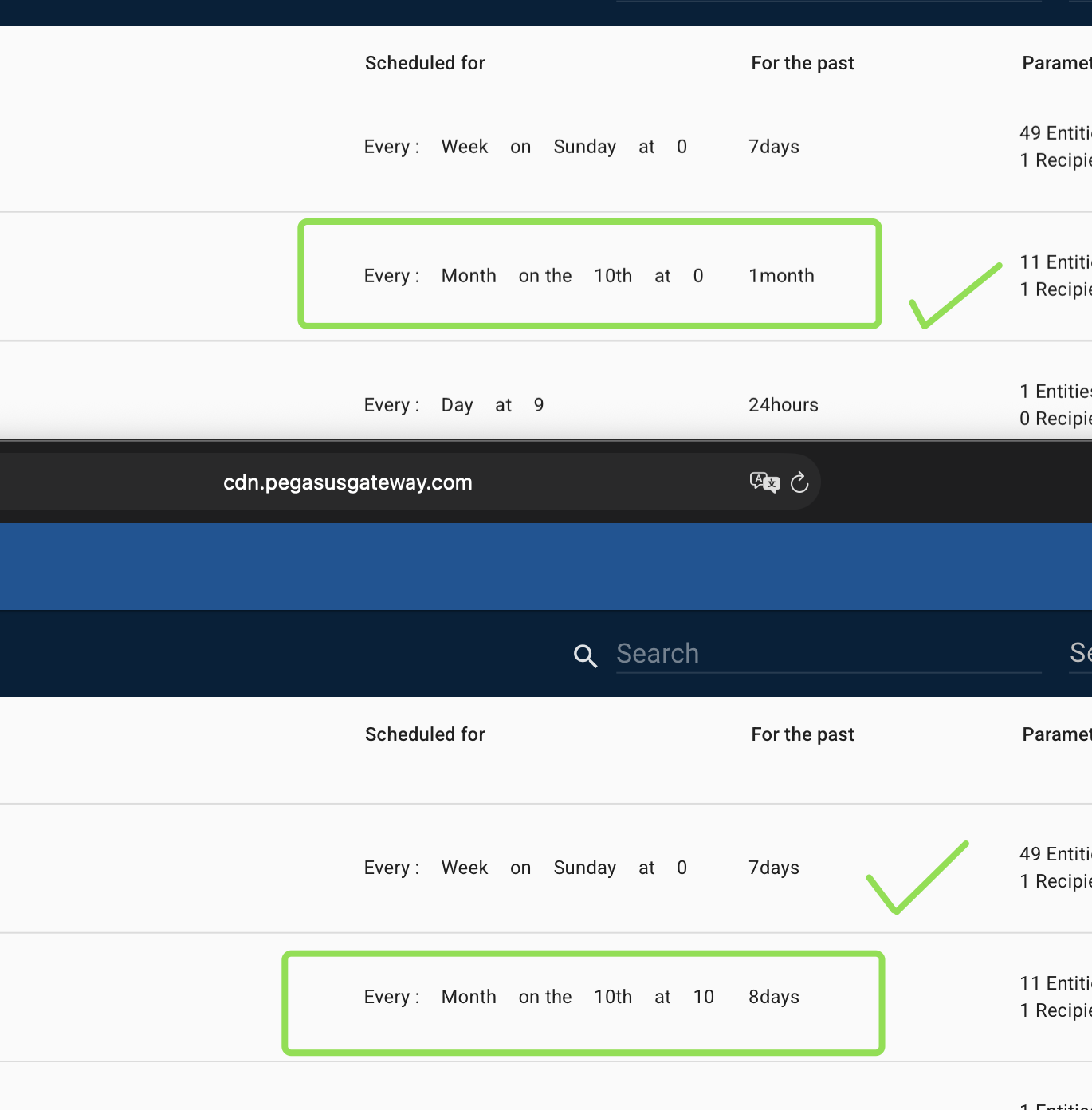
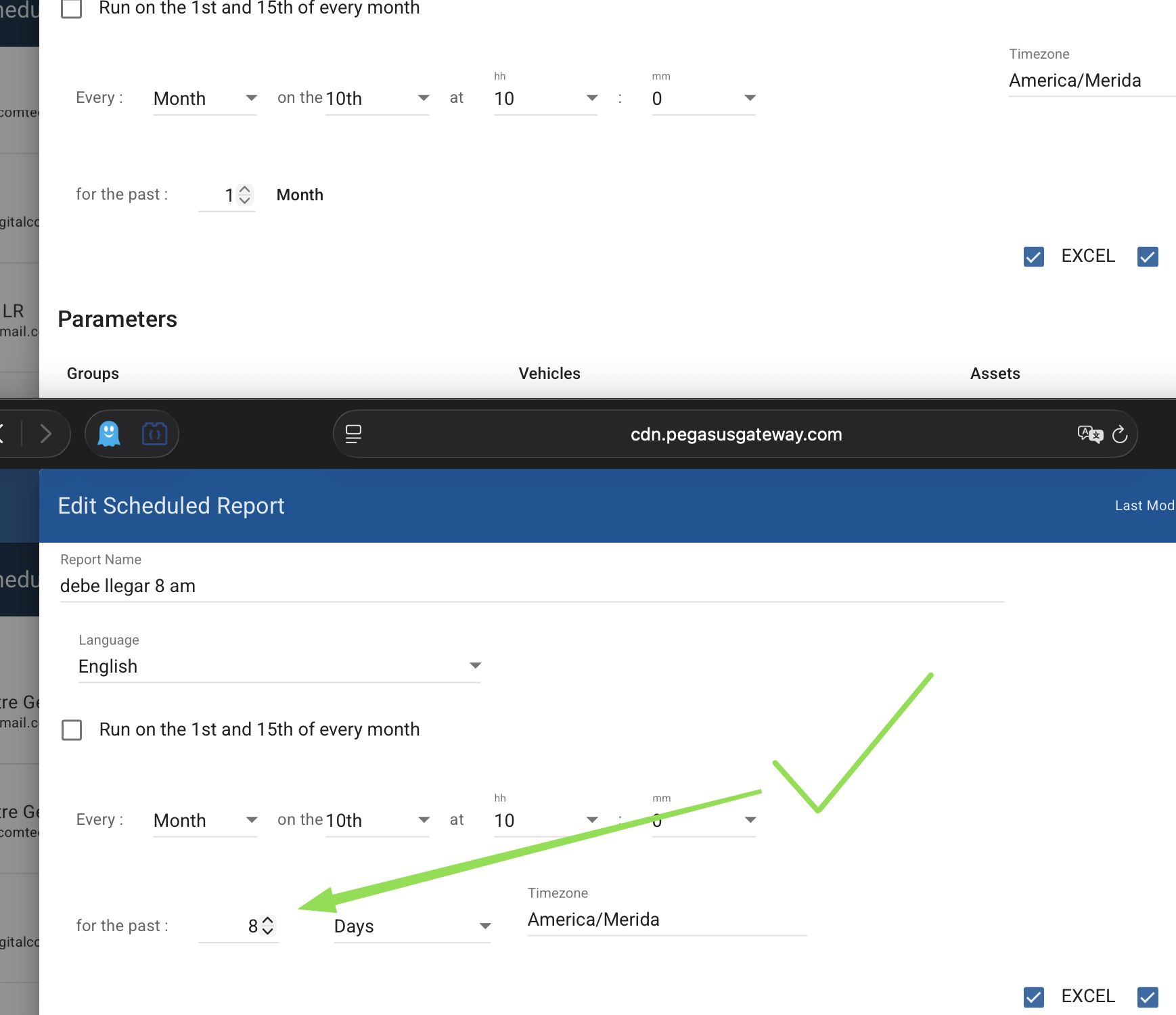
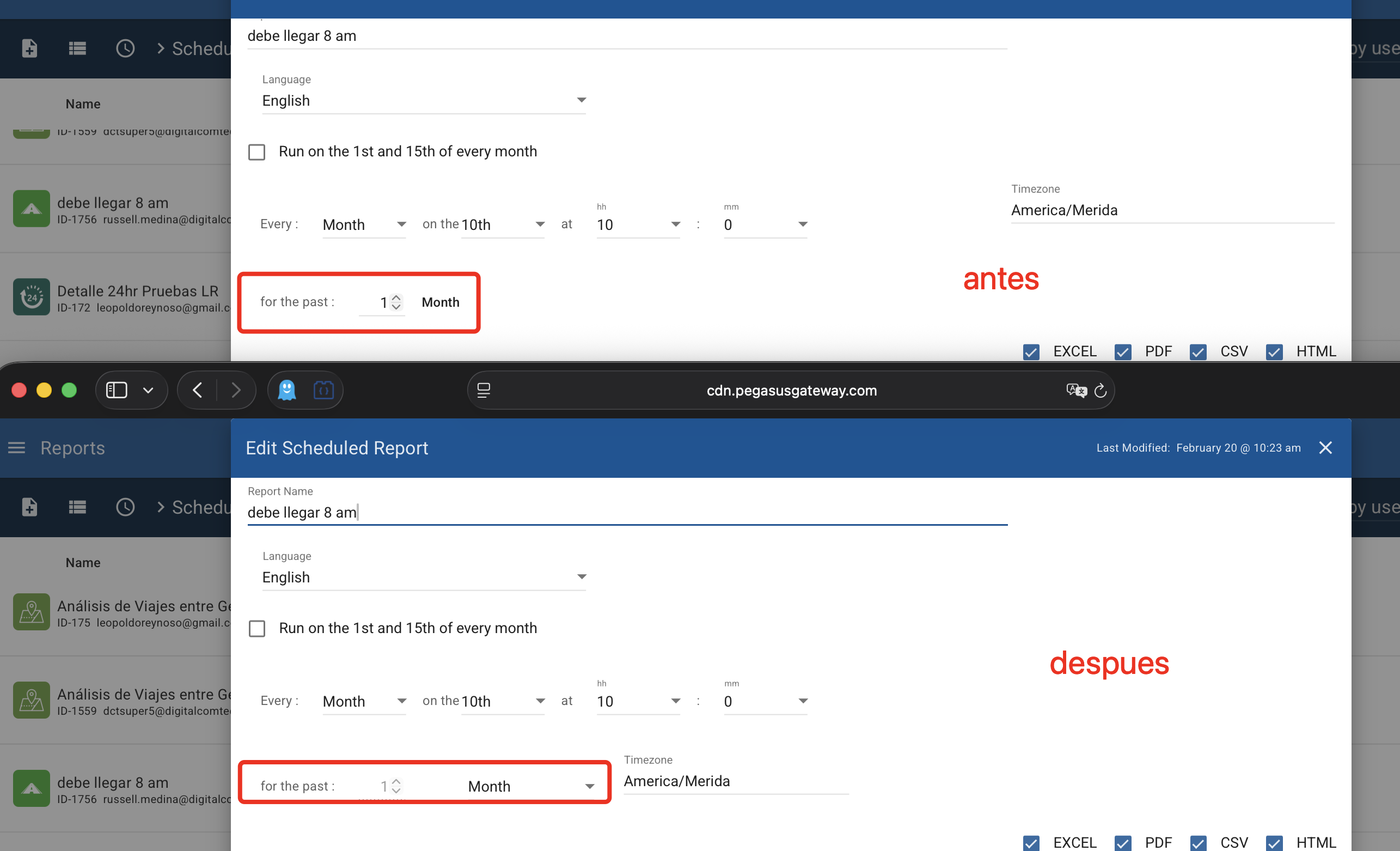
    • Scheduled Reports: Resolved intermittent failures causing some scheduled reports not to generate.
    • Alert Report Date Range: Fixed an issue where selecting a time range (e.g., May 1 to May 26, 2025) incorrectly set the start date to “2024-01-01T00:00:00,” causing wrong data retrieval.
    • Fixed issue where “Risk Factors Report” could not read properties of undefined

Click here for prior release notes

Click here to search old release notes
Pegasus & Core Release Notes for May 2025

  • New Features ⭐️

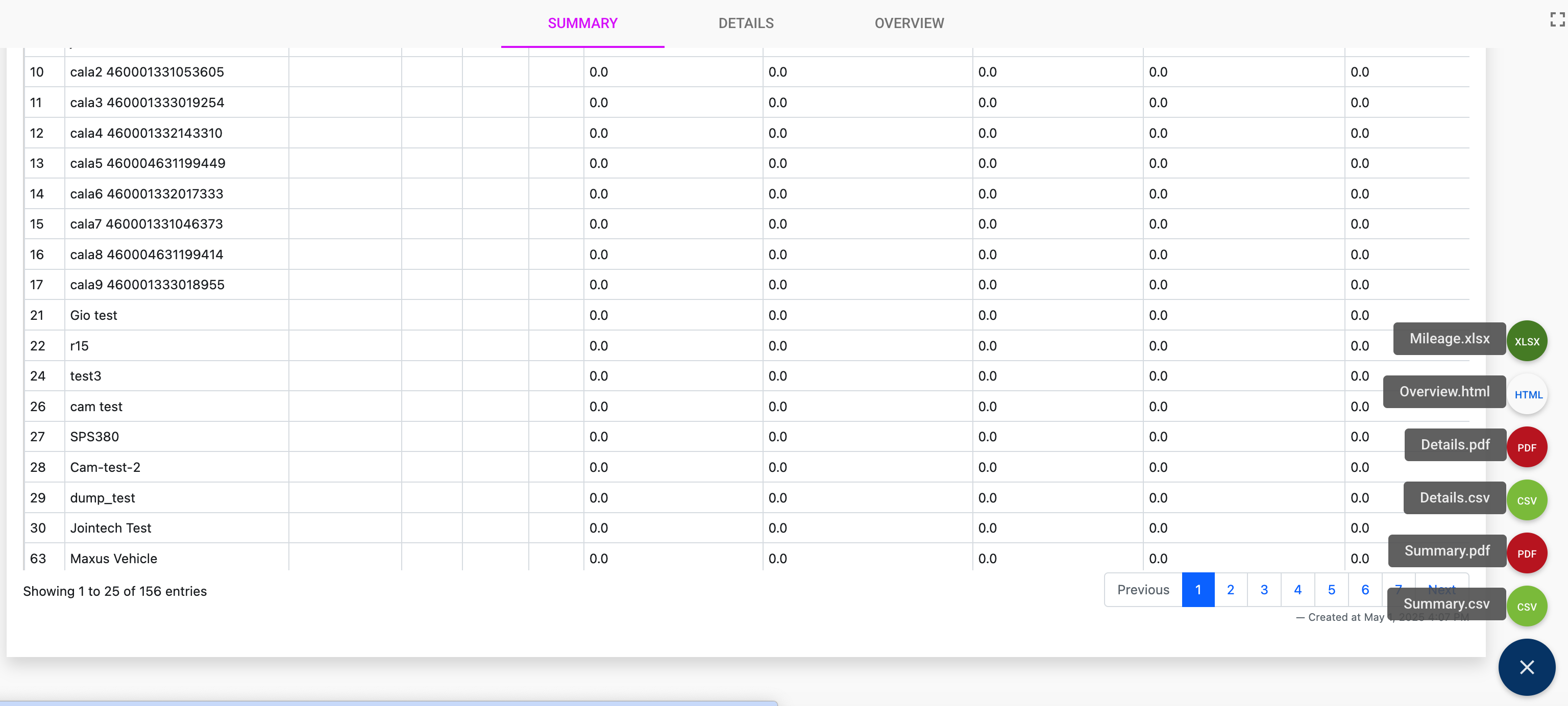
    • PDF Export Functionality for Speeding, Distance/Time – Fuel Cost Estimator and Daily Counters Reports: Users can now export detailed reports in PDF format. Note that exports are limited to a maximum of 120 pages.
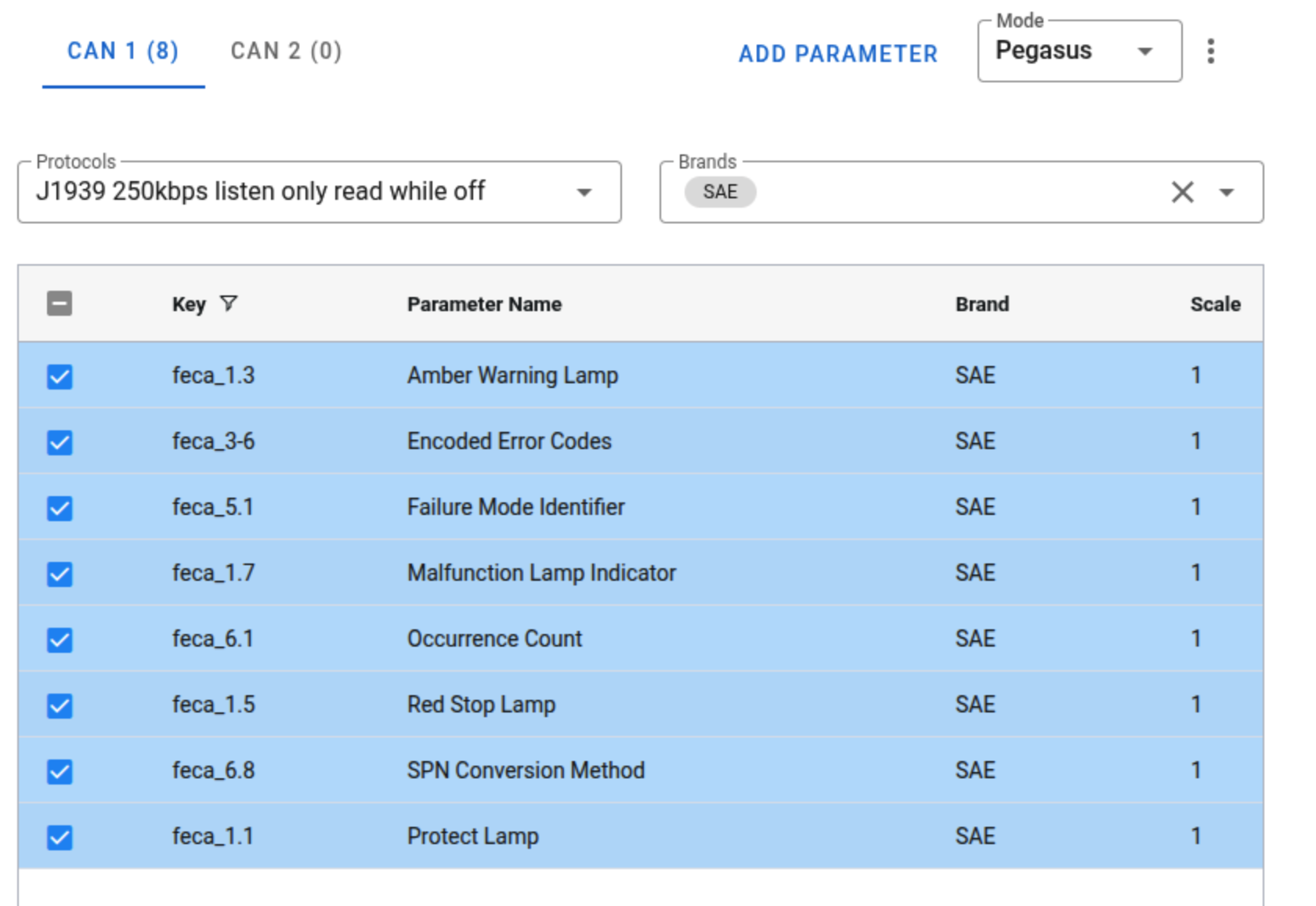
    • Added PGN “feca” to the Ecu profile v2: Enabled the ECUv2 device to recognize and process the new PGN “feca” message type for enhanced vehicle data communication.
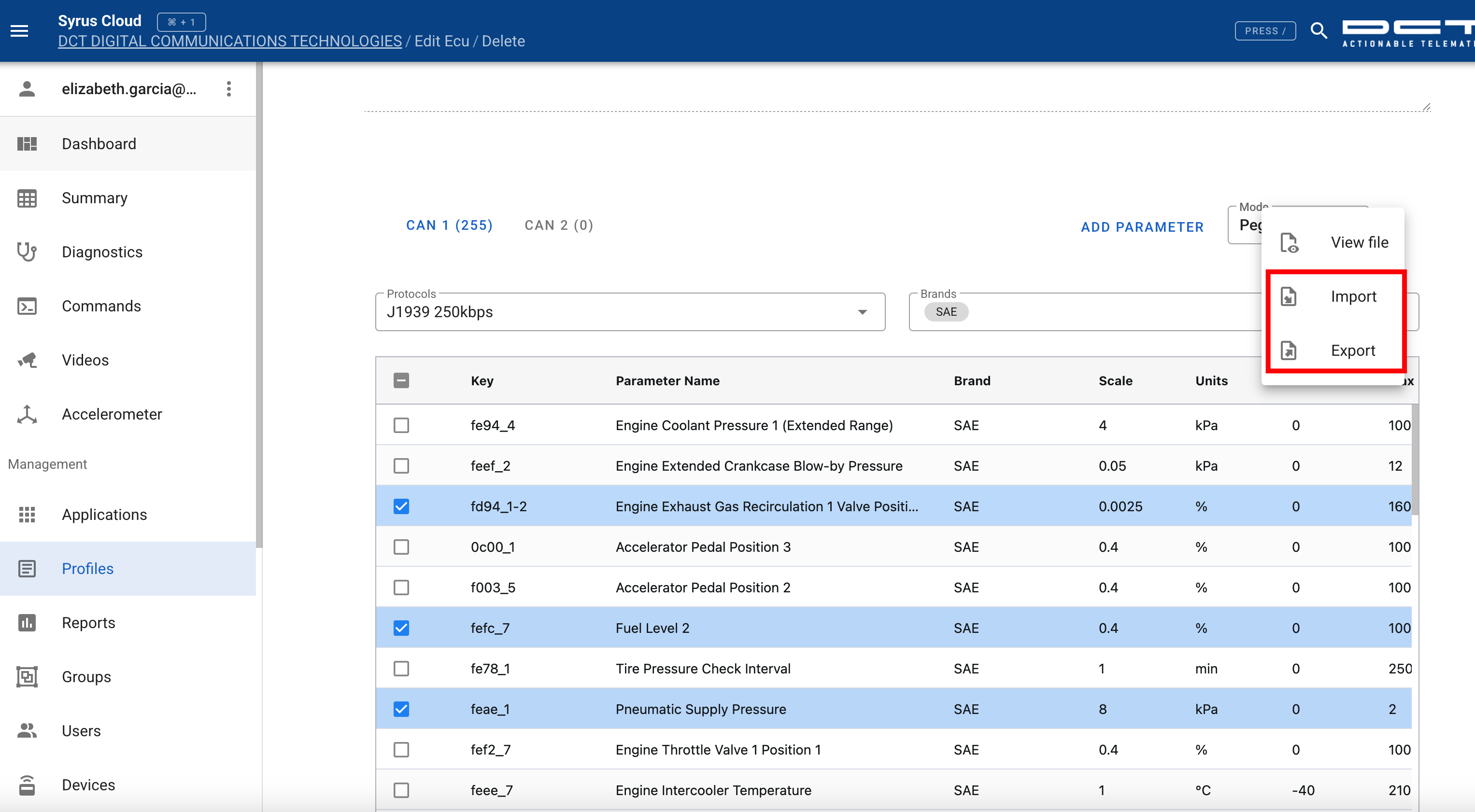
    • Enhanced ECU Profile v2 with import/export functionality: Users can now export and import ECU configuration data, facilitating easier device setup and data management across environments.
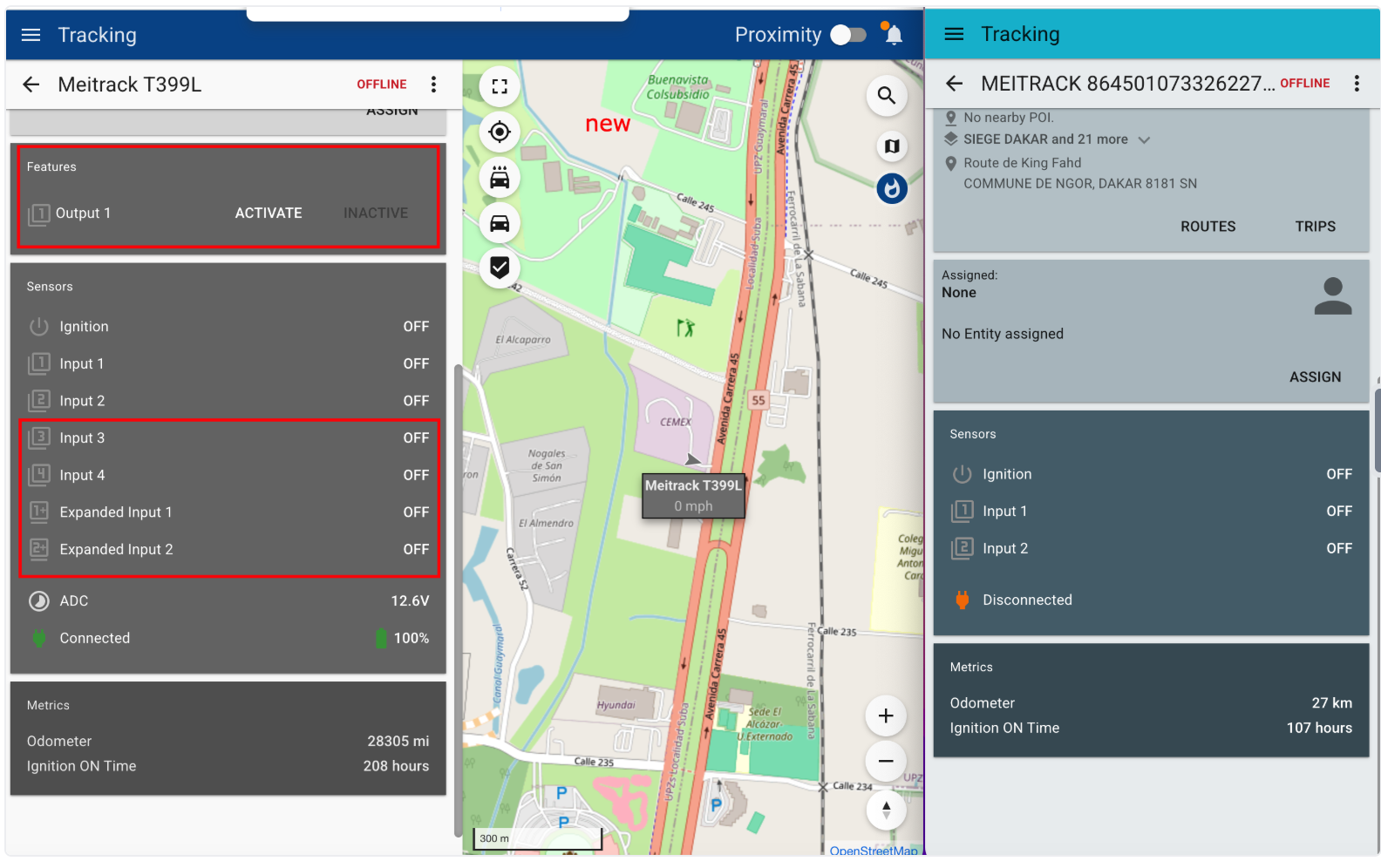
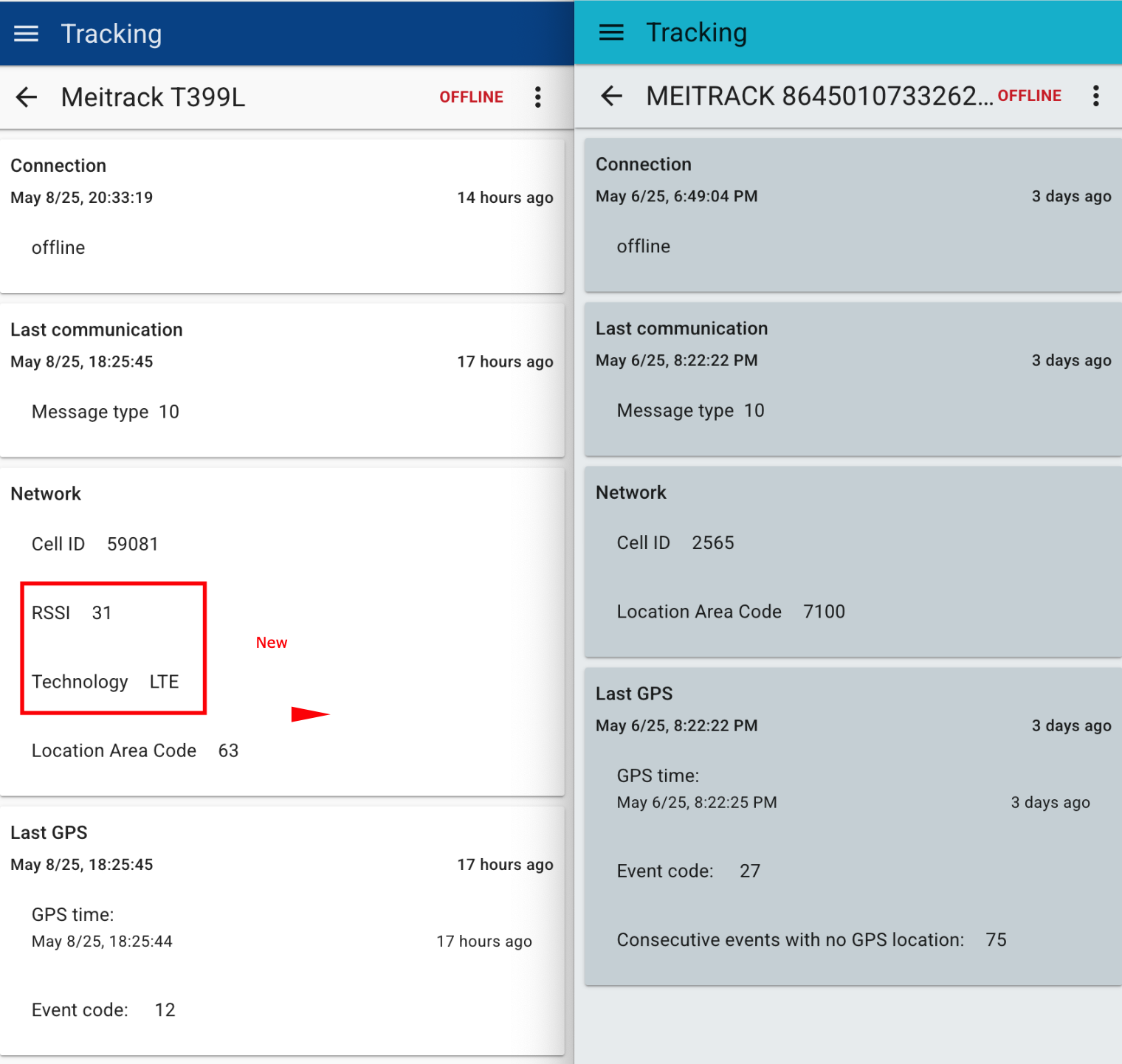
    • Integrated Meitrack fields and input/output handling: Added support for additional Meitrack device fields and improved the integration logic for processing input data and generating outputs.
    • Implemented Custom Login Pages configurable per Group: Allows each user group to have a tailored login page, enhancing branding and user experience for different customer segments.
  • Bug Fixes

    • Cycle Violation Trigger: Resolved an issue where the trigger activated based solely on driving time. It now correctly fires when the maximum total work time is exceeded.
    • Working Hours Report (HoS) Report Generation: Fixed an issue preventing the successful generation of the HoS Report.
    • Incident Report Generation: Resolved a bug that blocked the creation of Incident Reports.
    • Collision Detection Mapping for Teltonika FMC920: Corrected the mapping logic for possible collision events (coldet), ensuring proper event interpretation.
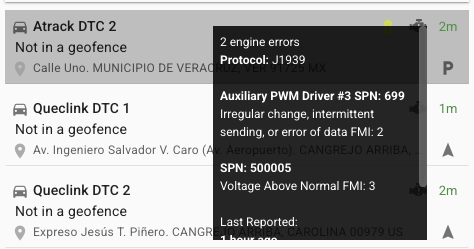
    • Fixed issue where vehicle tooltip did not display engine error: Resolved a bug preventing engine error information from showing in vehicle tooltips on the tracking interface.
    • Corrected maps zoom behavior after selecting geofence type: Fixed an issue where the map would unexpectedly zoom out after users chose a geofence type during creation.
    • Resolved issue with accumulator triggers not firing: Accumulator-based triggers are now reliably activated as expected under defined conditions.
    • Fixed SIM cards loading issue in Organization’s SIMs section: Addressed a problem where the SIM cards list failed to load properly within the organization management UI.
    • Adjusted output 3 configuration for GV58LAU/CEU devices: Corrected the settings for output port 3 on GV58LAU/ CEU device models.
    • Corrected event handling for Meitrack T711L, T399L: Fixed errors related to event data processing specific to the Meitrack T711L and T399L device model.
    • Fixed Alert Report to correctly display asset Hours of Service (HoS): Corrected the display of asset HoS data in alert reports to ensure accurate reporting.
  • Improvements

    • HoS Server improve error handling: The HoS server now automatically restarts upon encountering errors, improving service reliability.
    • Scheduled Report Code improved: Optimized the report generation logic to avoid producing PDFs or CSVs unless the user explicitly selects those formats.

Click here for prior release notes
Click here to search old release notes