You are here:Home1/How to Make a Managed Configuration
OVERVIEW & PURPOSE
The following document is a detailed explanation on how to build managed configurations for Syrus devices reporting to Pegasus Gateway
INTRODUCTION
A managed configuration is a Python (.py) extension file which has instructions, parameters and other things that get sent to the Syrus device in order to report effectively on Pegasus Gateway.
This guide will use the following configuration as a base configuration,
This configuration covers the basic of a standard Transportation type configuration, this may not be what you’re looking for as a base, if not please follow the Managed Configuration Questionnaire to find a more appropriate configuration
Every managed configuration has 4 major parts:
Header: Contains the main information that identifies properties of the configuration:
Name: name of the configuration (two configurations cannot have the same name)
Restricted_firmware: Minimum and maximum firmware version which supports the current configuration. This is very important since some firmwares cannot support newer commands, generating errors in Pegasus. Typically this is reserved for the DCT support team to establish the firmware requirement based on the commands used.
Params: Several parameters to establish initial values and accessories commands, as well as Speed limit, Tracking resolution commands, Safe immobilization commands, counters, among others.
Tracking_resolutions: Several options for tracking resolution to be configurable via Pegasus.
Sms_alias_actions: Since there are up to 4 configurable telephone destination points, we can execute some basic commands from them using SMS, as well as Secure Engine Cut off, request for location etc.
Allowed commands: Sometimes we need to send some special configuration commands via Pegasus Console. This is the field to specify the authorized ones, otherwise any other command sent to the unit that alters it’s configuration will reply with an RER04 (Error 04) and not be editable.
Script: This is a field marked as cmds and it contains all the commands to configure Syrus
Labels: This field is used for identifying the event generated.
Footer: Contains descriptions for the end user of each event configured in Syrus.
Html_description: HTML with events description to be shown in administration section of Pegasus
There are some considerations to take into account when Syrus is used to track stationary Assets, motors, etc. Please refer to final chapter if so for special instructions.
HEADER
Name
#!/usr/bin/python
# -*- coding: utf-8 -*-
name = {'en' : u'Base Standard Configuration',
        'es' : u'Configuración Base Estándar'
Change the text for the desired name in spanish (es) and english (en).
Don’t forget to change the name in HTML Description section:
Base Standard Configuration is used on vehicles on which Syrus device is permanently powered, has the ignition detection wired.
Configuración Base Estándar es usada en vehículos en los cuales el dispositivo Syrus esta alimentado permanentemente, tiene conectada la detección de ignición.
.
Restricted Firmware
Put the minimum and maximum firmware for this configuration here
For this example version 2.3.23 is separated by zeros as follows: 2 003 023.
Parameters
‘cmds_speedlimit‘: These commands are inside the script, but Pegasus will modify them according to your preferences selected in “Organization”
‘initialvalues_speedlimit_mph’ – initial speed limit in mph
‘initialvalues_speedlimit_secs’ – initial speed limit persistence in seconds
‘cmds_tracking‘: Same as speed limit, these commands are modified by pegasus when you change your preferences in “Organization”
‘safeimmo‘: If True, Pegasus is going to use Output 1 in a safe immobilization mode. False will allow to use output1 as an ordinary output. For more information on these mode see Appendix A.
‘using_ccounters’ : True,: This tell Pegasus to use special Syrus’ counters that will be described later on this document. This line cannot be removed
Put here all the desired combinations desired for tracking resolutions. First number is for “Turn angle sensitivity” and Second number is for periodic time reporting without turning.
Example: (35,20) stands for 35° or 20 seconds, whatever occurs first
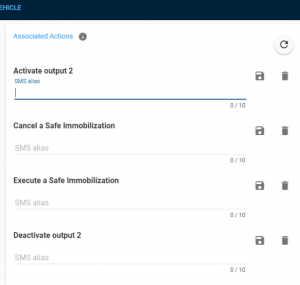
In Pegasus you can select special Keywords so send via SMS through authorized mobile numbers to activate/deactivate Outputs (Either cancel or execute).
In this section you can customize the text explanation that it is going to appear in Pegasus.
Pegasus Section View
sms_alias_actions = {
     'safeimmo_set' : {
                       'cmd' : '>SXASES1<', 'name' :{'en': 'Execute a Safe Immobilization' , 'es':'Ejecute la Immobilización Segura'}, 'description' :{'en': 'Execute a Safe Immobilization' , 'es':'Ejecute la Inmobilización Segura'} }, 'safeimmo_reset' : { 'cmd' : '>SXASES0<', 'name' :{'en': 'Cancel a Safe Immobilization' , 'es':'Cancelar la Immobilización Segura'}, 'description' :{'en': 'Cancel a Safe Immobilization' , 'es':'Cancelar la Immobilización Segura'} }, 'output2_set' : { 'cmd' : '>SSSXP21<', 'name' :{'en': 'Activate output 2' , 'es':'Activar la salida 2'}, 'description' :{'en': 'Activate output 2' , 'es':'Activar la salida 2'} }, 'output2_reset' : { 'cmd' : '>SSSXP20<',
                       'name' :{'en': 'Deactivate output 2' , 'es':'Desactivar la salida 2'},
                       'description' :{'en': 'Deactivate output 2' , 'es':'Desactivar la salida 2'}
                       },
}
Allowed Commands
These are the commands that can be sent from Pegasus Console. Be careful not to allow commands which could disable the unit communication
Note: Note SXAV in yellow is allowing to send all the commands beginning with XAV: XAVH, XAVI, XAVO, XAVC and so on. Please take a look to the technical manual for further information
SCRIPT
Script comes under the name cmds and bounded in triple quotes. It contains all the necessary commands to configure syrus, except Destination point, which is given by configurator software.
It cannot have comments as you could see in the original .py file, but we are going to put some comments to explain the function of each block.
Also, all the commands have a direct link to Technical Manual so you can study the exact function of each command deeper.
Signals are marked in red and orange so you can check them on the Signal List
The only command not mentioned in the manual is the >SXAEC::gps 9 1< - this command is used to make sure the GPS filter of the device is set to the default value, for more information on the GPS filter please see this link.
Labels are alphabetic representations of the events, created to replace the codes. Codes are numeric, and in some cases the same event has different event codes between different scripts. The creation of labels allows to have the same name for different events no caring about its event number. For example:
3 : 'ignoff',
Means Ignition Off event is using code 3 under this script (Syrus is going to report EV03) and because this evlabel “ignoff” Pegasus will understand it as Ignition Off event.
A different script can have code 80 as an ignition off event, all it would need is an ev_label
80 : 'ignoff',
FOOTER
HTML DESCRIPTION
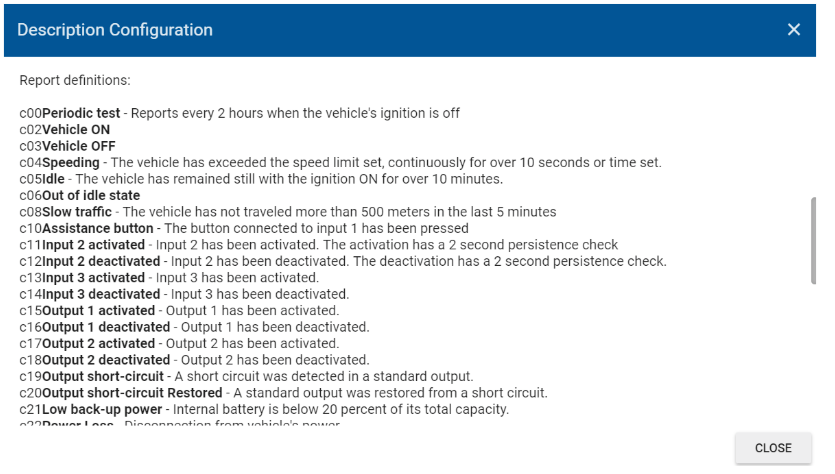
This is a Descriptive Html which is going to appear in Organization -> Devices:
Pegasus Section View
html_description = {
                    'en' : """
Report definitions:
c00Periodic test - Reports every 2 hours c02Vehicle ON c03Vehicle OFF c04Speeding - The vehicle has exceeded the speed limit c05Idle - The vehicle has remained with the ignition ON c06Out of idle state c08Input 1 deactivated c10Input 1 activated c11Input 2 activated - Input 2 has been activated. c12Input 2 deactivated - Input 2 has been deactivated. c13Input 3 activated - Input 3 has been activated. c14Input 3 deactivated - Input 3 has been deactivated. c15Output 1 activated - Output 1 has been activated.
Once you are finished updating the managed configuration you can send support@digitalcomtech.com the file, and the name of the gateway that you would like to upload it to.
The support team will get back to you within 24-48hours with any corrections or clarifications that need to be made.
Another alternative is to purchase a custom configuration service, and our Support team will work with you to build the managed configuration.
The price is USD $150 for each Personalized Managed Configuration, for more information please visit the store.
Appendix A
Parameter: safeimmo
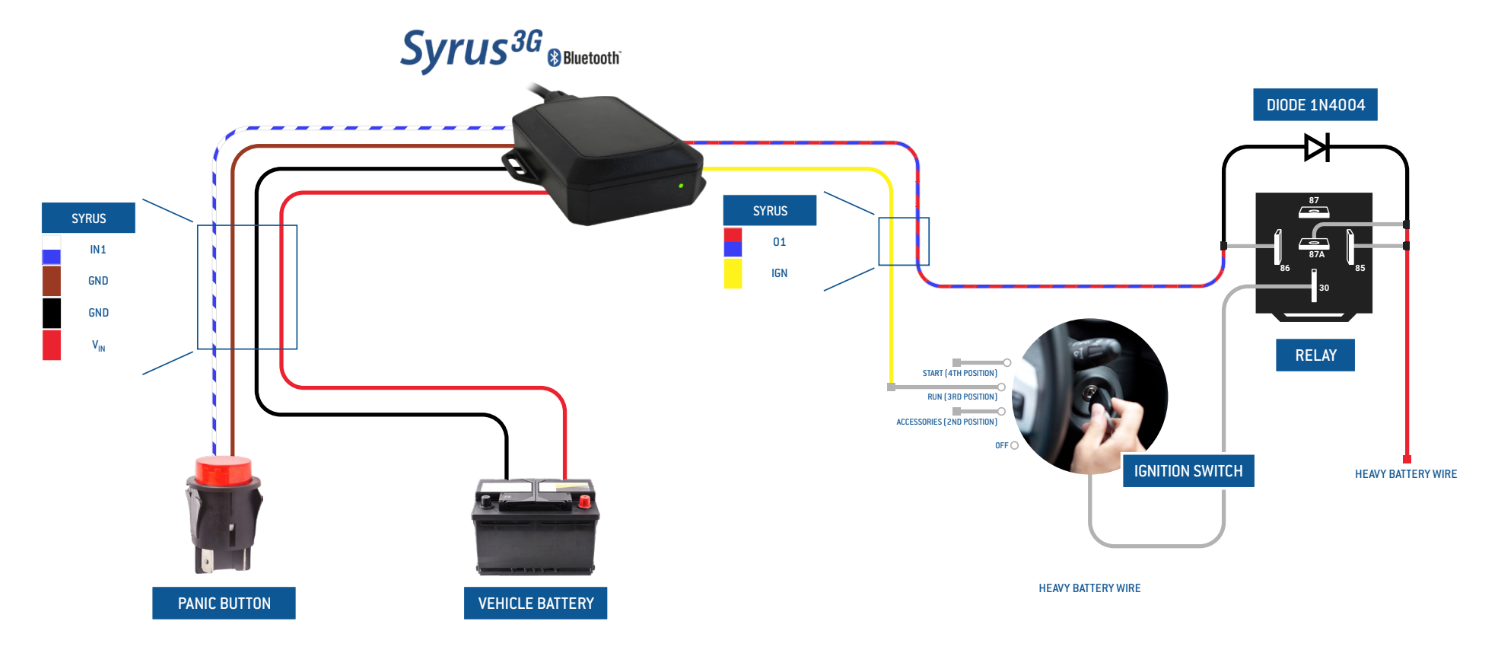
This parameter can be used to activate output 1 of the device ‘safely’. It is intended for disabling the vehicle’s ignition or starter wire remotely by activating output 1 (this output would therefore have to be connected to a relay that controls the vehicle’s ignition or starter wire).
Safe Engine Immobilization
How it works?
When safeimmo is True
If GPS is available: the speed of the device, indicated by the device’s GPS must remain under 10 mph for at least 20 seconds
If GPS is not available: the device’s built-in motion sensor must remain in no-motion state for at least 5 minutes
One of those two conditions must be met for the Output 1 to activate, otherwise Output 1 will not be activated.
In tracking you will see the following button when safeimmo is True
The API command to activate the output is Safeimmo
When safeimmo is False
The output 1 will activate or deactivate immediately
And you will see the following button in tracking.
The API command to activate the output in this case is Output Note that if you set safeimmo to False, you must remove the command >SXASEM1< from the script cmds.
Appendix B
Special Considerations for stationary devices
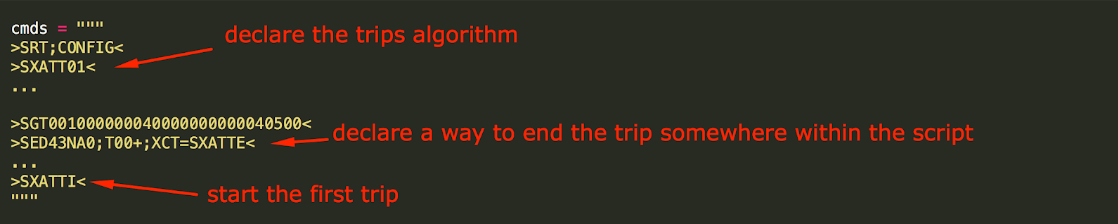
If Syrus is going to remain stationary (E.g. Motor pumps, building surveillance, plc, etc.) it is very important that the script has the three following things:
Trips Algorithm, declaration (command: >SXATT01<)
An event to cut the trip at the end of the day (or at any time along the day) using GT command (you can use: >SGT001000000040000000000040500< >SED43NA0;T00+;XCT=SXATTE)
In the last line of the script it is necessary to start the first trip with >SXATTI< command